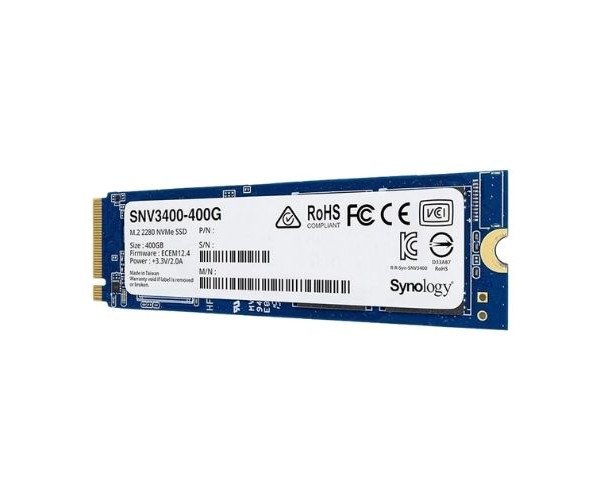
About of Synology Enterprise SNV3400-400G 400 GB NVMe Internal SSD
The Synology Enterprise SNV3400-400G 400GB NVMe Internal SSD is a high-performance storage solution designed for demanding enterprise environments. With fast data transfer speeds and durability, it enhances server efficiency, ensuring reliable storage for businesses.
Synology Enterprise SNV3400-400G 400GB NVMe Internal SSD in BD
The Synology Enterprise SNV3400-400G 400GB Internal SSD stands as a beacon for those businesses ready to upgrade their storage systems. The SSD assures the lightest flow of data set in extremely quick read and write speeds, minimizing any interruptions while processing or managing data. The SSD was built to withstand tasks that are demanding; it thus provides reliability for a long time.
User Experience
So many of the users of the Synology Enterprise SNV3400-400G 400GB NVMe Internal Solid State Drive report improvement system performance and reliability. Faster data processing, smoother multitasking, and better overall efficiency are some of the best reports from different business environments. It can be operated by different operating systems including Windows, Linux, and macOS; therefore, this gives the SNV3400 wide flexibility. Its extremely durable design withstands heavy workloads; hence it is widely recommended for enterprise applications. The installation has been easy and the design solid; therefore, Synology Enterprise SNV3400-400G guarantees the performance reliability required by harsh business environments.
Why Choose the Synology Enterprise SNV3400-400G 400G NVMe Internal SSD?
Reliability, speed, and efficiency: the
Synology Enterprise SNV3400-400G 400GB NVMe Internal SSD has all these benefits to offer. The right answer for businesses trying to improve server storage performance. High write and read speeds paired with high endurance translate into prolonged life expectancy even under the most demanding workloads. The Synology Enterprise SNV3400-400G is engineered to work right across multiple systems for maximum compatibility and user convenience. Whichever the case, whether upgrading within an existing configuration or setting up a new one, the Synology Enterprise SNV3400-400G will ensure fast and uninterrupted performance making it a sound investment for your enterprise storage applications.
Installation Steps
- Powering down the System: Power down the system and unplug before initiating the SSD installation to avoid mishaps associated with electrical hazards.
- Locate M.2 Slot: Open your computer or server case and find the M.2 slot for NVMe SSD compatibility.
- Install the SSD: Insert the Synology Enterprise SNV3400-400G 400GB Internal SSD into the M.2 slot at an angle. Slide it down until you hear an audible click of the SSD locking in the M.2 slot.
- Screw the SSD: If necessary, hold the SSD in place using a small screw.
- Power on the System: After complete installation, switch on the system. The BIOS should identify the SSD automatically.
- Format the SSD: Once the operating system loads, format the SSD so as to further utilize it.
- Optimize Settings: Optimize your system settings for best performance of the Synology Enterprise SNV3400-400G 400GB SSD.