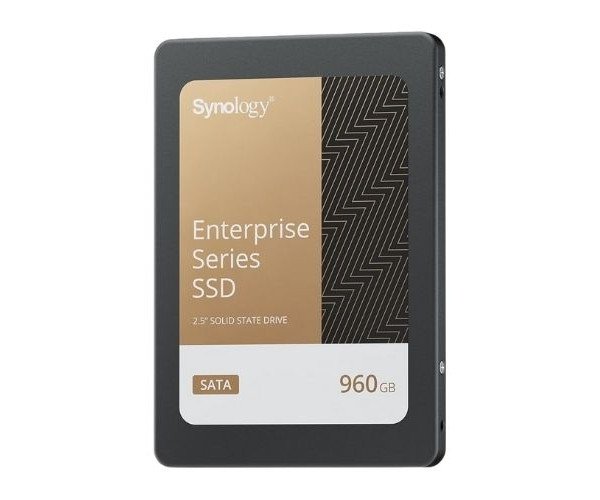
About the Synology Enterprise SAT5220-960G 960 GB 2.5" SATA SSD
The Synology Enterprise SAT5220-960G 960GB SATA SSD is a high-performance solid-state drive designed for enterprise use. It offers fast, reliable data storage, improving system responsiveness and providing long-lasting performance for demanding applications in NAS and server environments.
Synology Enterprise SAT5220-960G 960GB 2.5" SATA SSD in BD
The Synology's Enterprise SAT5220-960G 960GB 2.5" SSD is a worthy alternative for enterprise applications. High read/write speeds provide scope for performance benefits against the backdrop of high-demand applications such as NAS systems and servers. Thus, it serves durability, efficiency, and enterprise qualifications and gives dependable storage to the vital data.
User Experience
Users have experiences with the Synology Enterprise SAT5220-960G 960GB 2.5" Sata SSD magical for an enterprise environment. Here, 960GB is a coveted size for applications with data weight and the performance for reads and writes, above all. The constant performance in RAID setups and 24/7 behavior makes the system reliable. 3D TLC NAND and power-loss protection that come on board the SSD further help safeguard data integrity in the event of a power cut, putting most users at ease. It really is a bit of cake to install and very robust in its design and build for durability. Appropriate storage for response improvement and workflow efficiency in business-critical systems.
Why Choose the Synology 960GB 2.5" SATA SSD for Enterprise?
For speed, durability, and overall cost-effectiveness, the
Synology Enterprise SAT5220-960G 960GB 2.5" SSD is arguably one of the best in its class. It's been designed to work in demanding enterprise environments, providing quick data access with superior reliability. The 960GB size means that large amounts of data can be stored and retrieved very quickly-much suited for use in NAS, servers, or high-end workstations. From optimizing your IT infrastructure to seeking a rugged solution against intensive workloads, the
Synology Enterprise SAT5220-960 960GB 2.5" SSD won't let you down easy for running your systems anytime, anywhere.
Installation Steps
- Make sure that your system is compliant to 2.5" SATA SSD and power off it before beginning the installation.
- When changing out an old SSD, carefully remove the existing drive and disconnect cables.
- Connect the Synology EnterpriseSAT5220-960G 960GB 2.5" SSD to an available SATA port on your motherboard or storage controller.
- Secure the SSD in the drive bay or mounting bracket.
- Power on the system and access your BIOS/UEFI settings to confirm the drive is detected.
- Install any necessary drivers or software from Synology to ensure full SSD functionality.
- Partition and format the SSD according to your operating system's requirements.
- Begin using your new Synology EnterpriseSAT5220-960G 960GB 2.5" SSD for immediate fast, reliable storage.