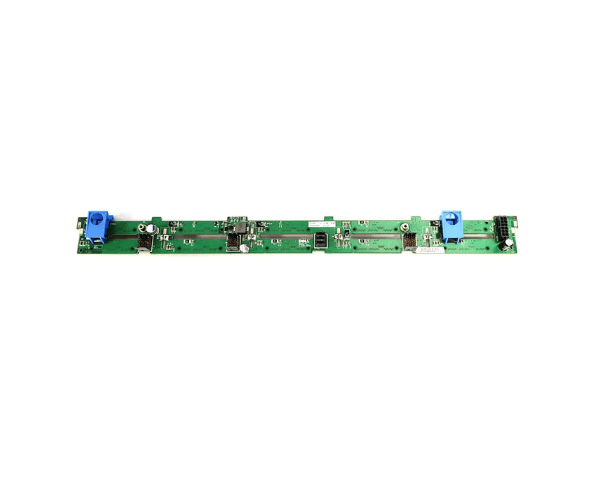
Introduction of Dell Y028W 10-Bay 2.5in HDD Backplane for PowerEdge R620
The Dell Y028W 10-Bay 2.5in HDD Backplane for PowerEdge R620 maximizes your server's storage capabilities with its high-performance design. Ideal for the Dell PowerEdge R620, this backplane supports up to 10 2.5-inch hard drives, providing ample space for expanding your data storage needs. Engineered for reliability and efficiency, the Dell Y028W ensures seamless integration with your existing server setup, optimizing both performance and data management.
Why Choose the Dell Y028W 10-Bay 2.5in HDD Backplane?
Choosing the Dell Y028W 12.5in HDD Backplane for PowerEdge R620 ensures exceptional storage for your server model. This backplane features high-quality construction and an efficient cooling system. It enhances performance and longevity. With the Dell Y028W, you get reliable data management and expanded storage capacity, perfect for demanding environments.
User Experience
Users find the Dell Y028W 10-Bay 2.5in HDD highly effective in boosting their PowerEdge R620 server’s performance. Its seamless integration and reliable operation lead to enhanced data management and increased storage capacity. Customers appreciate its robust build quality and ease of installation, contributing to a smoother overall experience with their server.
Key Features
- High Capacity: Supports up to 10 2.5-inch drives, providing ample storage.
- Efficient Cooling: Designed to ensure effective heat dissipation.
- Hot-Swap Capability: Allows for easy replacement of drives without downtime.
- Durable Construction: Made from high-quality metal and plastic for long-lasting use.
- High Data Transfer Rates: Capable of handling up to 12Gbps data transfer.
Installation Steps
- Power Down the Server: Ensure the PowerEdge R620 is turned off and disconnected from any power sources.
- Remove Existing Backplane: Open the server chassis and carefully detach the old backplane if present.
- Install the Dell Y028W: Align the Dell Y028W 10-Bay HDD Backplane with the mounting slots and secure it in place.
- Connect Cables: Attach the necessary data and power cables to the new backplane.
- Reassemble the Server: Close the server chassis and reconnect power.
- Power On and Test: Boot up the server and verify that all drives are recognized and functioning properly.
Where It Can Be Used?
The
Dell Y028W 10-Bay 2.5in
Backplane is ideal for use in Dell PowerEdge R620 servers, making it perfect for data centers and enterprise environments that require high storage capacity and reliable performance. It is suitable for applications demanding extensive data storage, such as databases, virtualization, and large-scale data processing.