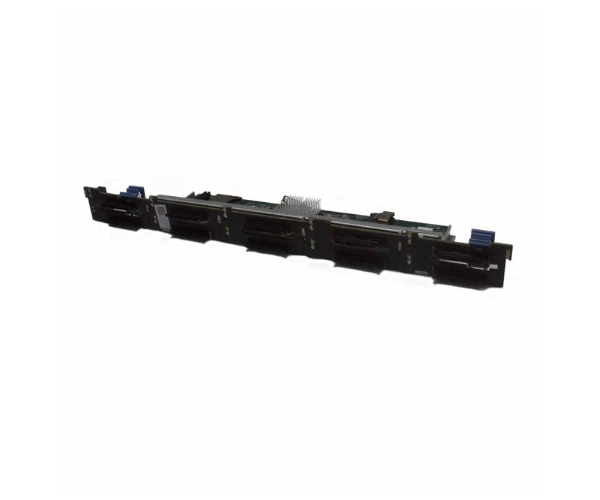
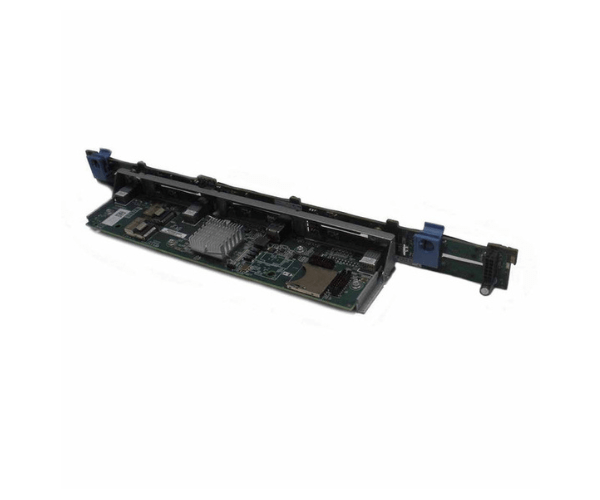
Introduction of Dell 3971G Backplane 10-Bay 2.5in for PowerEdge R620
The Dell 3971G Backplane 10-Bay 2.5in for PowerEdge R620 enhances the performance and storage capacity of your Dell PowerEdge R620 server. This backplane offers robust connectivity and reliable functionality, making it an essential component for optimizing your server's storage capabilities. With its high-quality build and efficient design, the Dell 3971G Backplane ensures your server operates smoothly and efficiently.
Why Choose Dell 3971G Backplane 10-Bay 2.5in for PowerEdge R620?
Opting for the Dell 3971G Backplane 10-Bay for PowerEdge R620 ensures that your server benefits from enhanced storage capacity and improved performance. This backplane specifically engineers for the PowerEdge R620, ensuring seamless integration and reliable operation. Its durable construction and effective cooling system contribute to the overall longevity and efficiency of your server. By choosing the Dell 3971G Backplane, you gain a dependable and high-performance solution for expanding and optimizing your server's storage capabilities.
User Experience
Users appreciate the Dell 3971G Backplane for its easy installation and reliable performance. The backplane’s design allows for quick and straightforward integration with the PowerEdge R620 server. Many users report that the effective heat dissipation helps maintain optimal operating conditions, contributing to the overall stability and longevity of their storage systems. The 10-bay configuration provides ample storage space, making it a preferred choice for data-intensive applications and high-performance computing environments.
Key Features
- High Compatibility: Designed specifically for Dell PowerEdge R620 servers.
- 10-Bay Configuration: Supports up to 10 x 2.5-inch drives.
- Durable Build: Made from high-quality metal and plastic for long-term reliability.
- Effective Cooling: Integrated cooling design to prevent overheating.
- Hot-Swap Support: Allows for the replacement of drives without shutting down the server.
- High Data Transfer Rate: Supports data transfer rates up to 12Gbps.
- Seamless Integration: Easy to install and integrate with existing server components.
- Robust Performance: Enhances storage capacity and performance for demanding applications.
- Efficient Operation: Optimized for the PowerEdge R620 to ensure smooth operation.
- Reliable Support: Backed by Dell’s quality standards and customer support.
Installation Steps
- Power Down: Ensure the Dell PowerEdge R620 server is powered off and disconnected from any power sources.
- Remove Existing Backplane: If applicable, carefully remove the current backplane.
- Align New Backplane: Position the Dell 3971G Backplane in the designated slot of the server.
- Secure in Place: Fasten the backplane using the provided screws or mounting hardware.
- Connect Cables: Attach all necessary cables and connectors to the backplane.
- Reassemble System: Replace any covers or panels that were removed during installation.
- Power On: Reconnect the power source and turn on the server. Verify that the backplane and connected drives are functioning correctly.
Where It Can Be Used?
The
Dell 3971G
Backplane 2.5in is ideal for use in Dell PowerEdge R620 servers. It is designed for data centers, enterprise environments, and high-performance computing setups that require expanded storage capabilities. This backplane is perfect for applications that involve large data sets, high-speed data processing, and critical business operations.