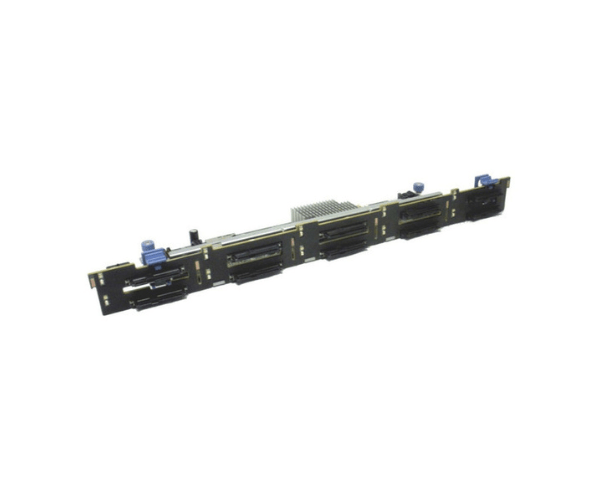
Introduction of DELL 22VC9 Backplane for R630 10x 2.5in Bay
The DELL 22VC9 Backplane for R630 10x 2.5in Bay enhances storage for Dell PowerEdge R630 servers. It offers an advanced solution, specifically designed to meet high-performance storage needs. This backplane provides the flexibility and performance needed to manage substantial storage requirements efficiently. It supports up to ten 2.5-inch drives, making it ideal for environments where high storage density is essential.
Why Choose the DELL 22VC9 Backplane for R630 10x 2.5in Bay?
The DELL 22VC9 Backplane for R630 stands out for its ability to support up to ten 2.5-inch drives, delivering exceptional storage capacity in a compact form. Its seamless integration with Dell PowerEdge R630 servers ensures a hassle-free setup, making it a top choice for businesses needing reliable and efficient storage solutions.
User Experience
Users appreciate the DELL 22VC9 Backplane for its reliability and ease of use. The hot-swap capability allows for quick drive replacement and upgrades without requiring server downtime. This feature is particularly valuable in high-demand environments where maintaining operational continuity is critical.
Detailed Breakdown of Features
The DELL 22VC9
Backplane excels in providing extensive storage options with its ten 2.5-inch drive bays. Constructed from durable metal and plastic, it ensures longevity and can withstand demanding conditions. The hot-swap feature greatly enhances user convenience, enabling you to replace or add drives without disrupting server operations. The backplane integrates seamlessly with Dell PowerEdge R630 servers, offering a perfect fit and ensuring that you can efficiently manage large volumes of data.
Installation Steps
- Power Down the Server: Ensure the server is powered off and disconnected from any power source.
- Open the Server Chassis: Remove the server cover to access the internal components.
- Locate the Backplane Bay: Identify the backplane bay within the server chassis.
- Install the Backplane: Insert the DELL 22VC9 Backplane into the designated slot, aligning it with the mounting points.
- Secure the Backplane: Fasten the backplane using the provided screws or clips.
- Reconnect and Power On: Reconnect the server to the power source and power it on. Verify that the backplane is recognized and functioning correctly.
Where it Can Be Used?
The
Dell 22VC9 Backplane suits data centers, enterprise IT environments, and any setup with Dell PowerEdge R630 servers. It excels in organizations needing high storage density and efficient data management solutions.