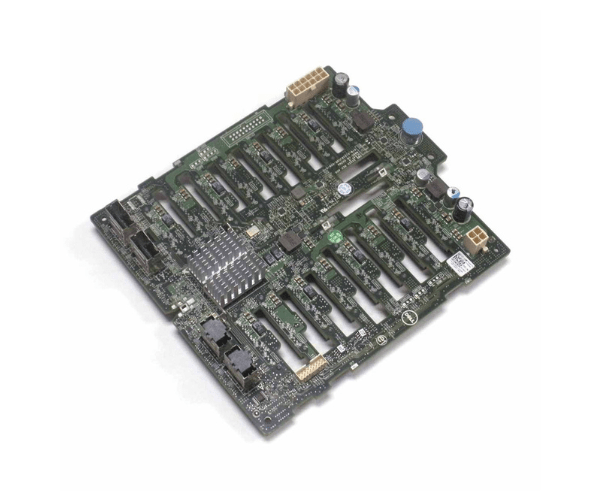
Introduction of Dell 018G5 Backplane 16x 2.5in
The Dell 018G5 Backplane 16x 2.5in is a high-performance storage solution designed to meet the needs of demanding IT environments. This backplane supports up to sixteen 2.5-inch drives, offering exceptional scalability and flexibility for enterprise data storage. Engineered for seamless integration and high-speed data transfers, the Dell 018G5 Backplane is an ideal choice for businesses looking to enhance their data management capabilities.
Why Choose the Dell 018G5 Backplane?
Choosing the Dell 018G5 Backplane 2.5in means investing in a reliable and efficient storage solution. This backplane provides high-speed data transfers, ensuring your data-intensive applications run smoothly. Its scalability and flexibility make it perfect for expanding your storage capabilities as your business grows. Additionally, the Dell 018G5 Backplane integrates seamlessly into existing IT infrastructures. This integration minimizes downtime and significantly boosts productivity and operational efficiency.
User Experience
Users of the Dell 018G5 Backplane 16x can expect a significant improvement in their data management processes. The high-speed data transfer rates reduce bottlenecks, and supporting up to sixteen drives provides ample storage capacity. The backplane's design ensures easy installation and maintenance, making it a practical choice for IT professionals who need reliable and scalable storage solutions.
Key Features
- High-speed SAS/SATA connectivity
- Supports up to sixteen 2.5-inch drives
- Seamless integration with existing systems
- Durable design for demanding IT environments
- Scalable and flexible storage solution
Installation Steps
- Power Down: Ensure your system is turned off and unplugged.
- Open the Case: Remove the computer case or server cover to access the motherboard.
- Locate PCI-e Slot: Identify an available PCI Express slot on the motherboard.
-
Insert the adapter: by gently placing the Dell 018G5 Backplane into the slot until it fits firmly.
- Secure the Adapter: Use the provided screws to secure the backplane to the case.
- Reconnect Cables: Reconnect any cables that you disconnected during the installation.
- Power On: Turn on your system and verify the installation through the operating system.
Where It Can Be Used?
The
Dell 018G5 Backplane 2.5in fits various enterprise environments where high-speed, reliable data storage is essential. It excels in data centers, large-scale databases, and applications demanding extensive storage capacity. Moreover, its design accommodates high-demand environments effectively, ensuring reliable and efficient performance. The backplane's compatibility with various Dell server models makes it a versatile choice for businesses looking to upgrade or expand their existing IT infrastructure.