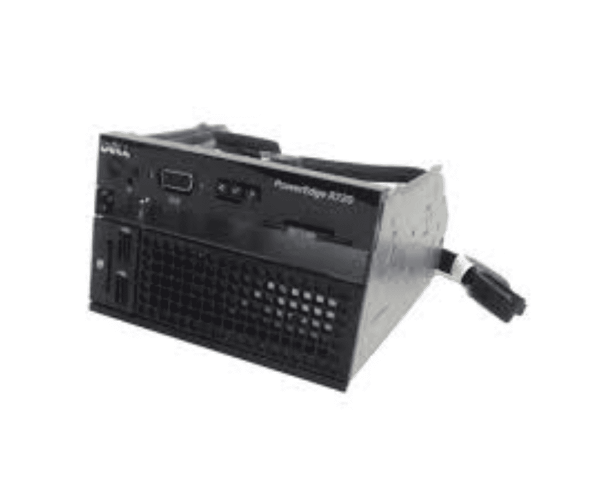
The
Dell X30KR R720 R720XD Control Panel Assembly is a vital component designed to enhance the management and functionality of your Dell R720 or R720XD server. It provides an intuitive interface, allowing users to monitor and control server operations efficiently.
Dell X30KR R720 R720XD Control Panel Assembly in Bangladesh
The
Dell X30KR R720XD Control Panel Assembly is easily accessible in Bangladesh, with local suppliers offering it to meet the needs of users seeking effective server management solutions. Local suppliers offer this component, ensuring that users can easily acquire it for their server management needs. With various options available, customers can find competitive pricing and convenient access.
Why Select the Dell X30KR R720 R720XD Control Panel Assembly?
Choosing the
Dell X30KR R720 Control Panel Assembly enhances your server's performance and management capabilities. Here’s why this product stands out:
- Intuitive Interface: Offers a user-friendly design that simplifies the process of monitoring server health and status.
- Improved Control: Gain direct access to important system settings and configurations for better management.
- Compatibility: Specifically designed for the R720 and R720XD models, ensuring seamless integration and functionality.
User Experience
Users have reported satisfaction with the
Dell X30KR Control Panel Assembly. The clear display and easy navigation make it a breeze to manage server functions. Customers appreciate how quickly they can access essential information and make adjustments, enhancing their overall server experience.
Detailed Breakdown of Features
- User-Friendly Interface: The control panel features an intuitive layout, allowing quick access to important information.
- High-Quality Display: The LCD screen offers clear visibility, ensuring that users can easily read data.
- Real-Time Monitoring: Keep informed with up-to-date information on server performance and operational status.
- Compact Size: Designed to fit seamlessly within the R720 and R720XD chassis, conserving space while providing functionality.
- Integrated Controls: Direct controls allow users to make instant adjustments without requiring additional tools.
- Low Power Consumption: Efficiently designed to minimize energy usage, contributing to cost savings.
- Durable Build: Constructed to withstand the demands of server environments, ensuring long-lasting reliability.
- Versatile Use: Suitable for data centers, IT departments, and small business applications.
- Easy Maintenance: The design facilitates straightforward cleaning and upkeep, ensuring optimal performance over time.
- Full Compatibility: Specifically engineered for the R720 and R720XD, guaranteeing complete operational support.
Installation Steps for Dell X30KR Control Panel
- Turn Off the Server: Ensure the R720 or R720XD server is powered down and unplugged from the power source.
- Remove the Server Cover: Carefully take off the cover to access the internal components.
- Identify the Control Panel Slot: Locate the area designated for the control panel assembly.
- Align the Control Panel: Position the control panel to match the connectors within the slot.
- Insert the Control Panel: Gently slide the panel into place, ensuring a snug fit.
- Secure the Panel: Make sure the panel is securely attached to avoid any loose connections.
- Reattach the Server Cover: Replace the cover and tighten any screws securely.
- Reconnect Power: Plug the server back into the power source and turn it on.
- Verify Functionality: Check to ensure the control panel displays information correctly and responds to user commands.
Where Dell X30KR Control Panel Assembly Can Be Used?
The
Dell X30KR Control Panel Assembly is ideal for various environments, including:
- Data Centers: Essential for managing multiple servers effectively.
- Small and Medium Businesses: Delivers essential insights for daily operations and management.
- IT Departments: Ideal for overseeing server performance and managing configurations effectively.
- Remote Management: Useful for controlling servers located in different areas.