The
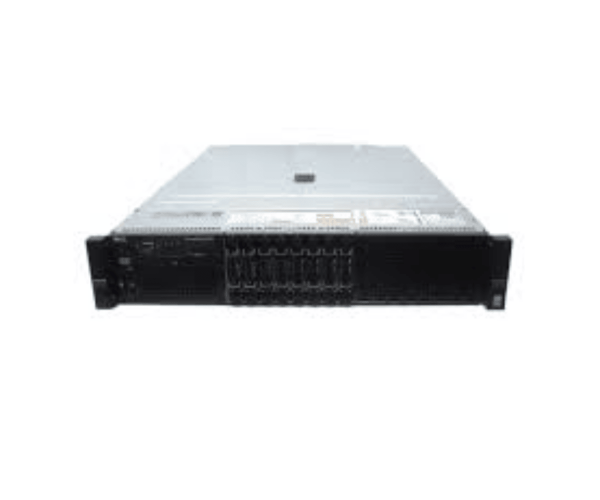
Dell 1X0MG PowerEdge R730 Front Control Panel is designed to enhance user interaction with Dell PowerEdge servers. This control panel offers easy access to essential functions, featuring a compact design that fits seamlessly into server environments. With robust connectivity options, it meets the demands of both small and large setups.
Dell 1X0MG PowerEdge R730 Front Control Panel in BD
The
Dell 1X0MG R730 Front Control Panel is readily available in Bangladesh, catering to local businesses and IT professionals who are in search of reliable and high-quality server accessories. This product not only enhances server functionality but also ensures that users have seamless access to essential controls, making it an excellent choice for various professional environments.
Why Choose the Dell 1X0MG PowerEdge R730 Front Control Panel?
Choosing the
Dell 1X0MG Front Control Panel means opting for quality and efficiency. This product provides straightforward installation, making it an excellent choice for users who value performance and convenience. With its durable construction and reliable performance, it enhances server management, ensuring that your operations run smoothly.
User Experience
Users report a positive experience with the
Dell PowerEdge R730 Front Control Panel. Many appreciate its intuitive design and quick installation, which allows for seamless integration with existing server setups. Feedback indicates that users find the accessibility of ports very convenient for connecting devices.
Detailed Breakdown of Features
- User-Friendly Interface: Designed for easy navigation and control of server functions.
- Multiple Connectivity Options: Features USB and VGA ports for versatile device connections.
- Compact Design: Space-efficient, perfect for various server environments.
- Robust Design: Engineered to endure regular use in challenging environments.
- Simple Setup: The straightforward installation process enables immediate functionality.
- High Compatibility: Works seamlessly with PowerEdge R730 servers.
- Enhanced Performance: Ensures reliable access to server controls and ports.
- Lightweight: Easy to handle and install without additional support.
- Reliable Functionality: Offers consistent performance for daily operations.
- Cost-Effective Solution: Provides excellent value for server management needs.
Installation Steps for Dell 1X0MG Front Control Panel
- Power Off the System: Ensure your Dell server is completely turned off and unplugged from the power source.
- Open the Server Case: Remove the case cover to access the internal components of your server.
- Locate the Control Panel Slot: Identify the slot specifically designed for the Dell 1X0MG control panel.
- Insert the Control Panel: Gently position the control panel into the designated slot, ensuring it fits securely.
- Connect the Cables: Firmly attach the required cables to the USB and VGA ports on the panel.
- Close the Case: Once everything is secured, replace the server case cover.
- Reconnect Power: Plug the server back into the power source.
- Power On the System: Turn on your server, and it should automatically recognize the control panel.
- Check the Ports: Plug in a USB device and a VGA monitor to ensure everything is functioning properly.
Where Dell 1X0MG Front Control Panel Can Be Used?
The
Dell 1X0MG Front Control Panel is versatile and can be used in various settings, including:
- Data Centers: Ideal for managing multiple servers efficiently.
- IT Departments: Provides easy access for system administrators.
- Corporate Offices: Enhances server management in business environments.
- Educational Institutions: Supports server setups for learning and research.
- Small Businesses: Perfect for startups requiring reliable server solutions.