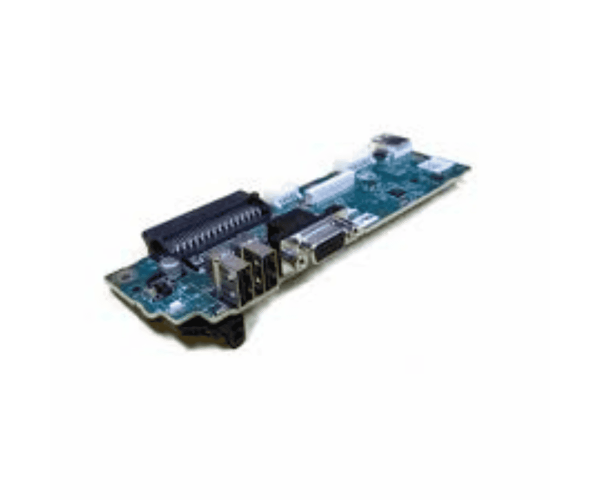
The
Dell J800M I/O Control Panel for PowerEdge R710 is an essential component designed to enhance the functionality and manageability of your PowerEdge R710 server. This control panel provides intuitive access to critical server functions, enabling seamless monitoring and control for users.
Dell J800M I/O Control Panel for PowerEdge R710 in BD
The
Dell J800M Control Panel for PowerEdge R710 is readily available in Bangladesh, ensuring that local users can conveniently purchase this vital component for their servers. Various local suppliers offer competitive pricing and availability, making it easier to enhance server management.
Why Choose the Dell J800M I/O Control Panel for PowerEdge R710?
Opting for the
Dell J800M Control Panel for PowerEdge R710 is a smart decision for several reasons:
- Enhanced Manageability: This control panel allows users to easily monitor and manage server functions.
- User-Friendly Design: Its intuitive interface simplifies access to critical server information.
- Seamless Compatibility: Designed specifically for the R710 model, ensuring reliable performance and integration.
User Experience
Users appreciate the
Dell I/O Control Panel for PowerEdge R710 for its straightforward functionality and reliable performance. Many report that the clear display and easy navigation enhance their server management experience. The panel effectively communicates essential information, allowing users to make informed decisions quickly.
Detailed Breakdown of Features
- User-Friendly Interface: The design allows for quick access to important server information.
- High-Quality Display: The LCD screen ensures clear visibility of data, even in varying lighting conditions.
- Real-Time Monitoring: Provides up-to-date information on server status and performance.
- Compact Size: Designed to fit perfectly within the PowerEdge R710 chassis, maximizing space efficiency.
- Integrated Controls: Direct controls for immediate adjustments and settings modifications.
- Low Power Consumption: Designed to operate efficiently, minimizing energy usage.
- Durable Construction: Built to withstand the demands of server environments for long-lasting reliability.
- Versatile Applications: Suitable for various settings, including data centers and business operations.
- Easy Maintenance: The design facilitates simple cleaning and upkeep for optimal performance.
- Full Compatibility: Specifically engineered for the PowerEdge R710, ensuring effective functionality.
Installation Steps for Dell J800M Control Panel for R710
- Turn Off the Server: Ensure that the PowerEdge R710 server is powered down and disconnected from the power source.
- Remove the Server Cover: Carefully take off the cover to access the internal components.
- Locate the Control Panel Slot: Find the area designated for the I/O control panel assembly.
- Align the Control Panel: Position the control panel so that it aligns with the connectors in the designated slot.
- Install the Control Panel: Carefully push the panel into the slot, ensuring it is firmly seated.
- Fasten the Panel: Check that the control panel is securely attached to prevent any loose connections.
- Reattach the Server Cover: Replace the cover and tighten any screws to secure it in place.
- Reconnect Power: Plug the server back into the power outlet and turn it on.
- Verify Functionality: Check the control panel to ensure it displays information correctly and responds to commands.
Where Dell J800M I/O Control Panel Can Be Used?
The
Dell J800M Control Panel for PowerEdge R710 is ideal for various environments, including:
- Data Centers: Essential for efficient server management and monitoring in large setups.
- Small and Medium Businesses: Provides necessary insights for everyday operations.
- IT Departments: Useful for overseeing server performance and configurations.
- Remote Management: Perfect for managing servers located in different areas effectively.