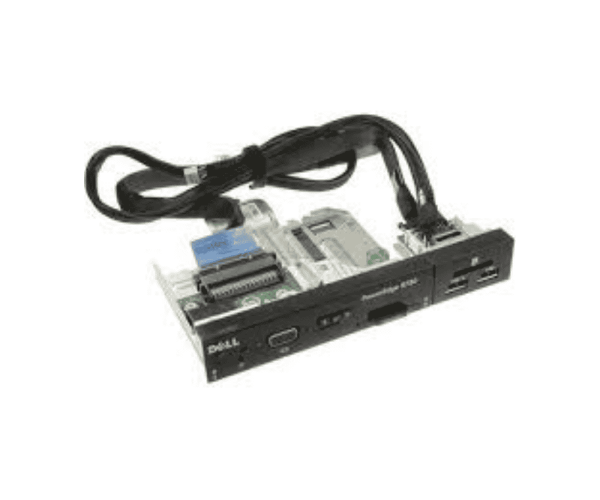
The
Dell 034KT PowerEdge R730 USB VGA Board Front Control Panel is designed for effective management of I/O connections in Dell PowerEdge R730 servers. It features multiple USB ports and a VGA connection, enhancing usability and device connectivity. This control panel ensures reliable performance in various environments.
Dell 034KT PowerEdge R730 USB VGA Board Front Control Panel in BD
The
Dell 034KT PowerEdge R730 Front Control Panel is available in Bangladesh. Local users can easily acquire this high-quality control panel, ensuring their PowerEdge R730 systems are equipped for efficient performance. Its presence in the market makes it a practical choice for both businesses and individual users.
Why Select the Dell 034KT PowerEdge R730 USB VGA Board Front Control Panel?
- Reliability: The design of the Dell 034KT USB VGA Board Front Control Panel ensures consistent performance, making it a trustworthy addition to your server setup.
- Enhanced Connectivity: With two USB ports and one VGA port, this control panel allows for seamless connections to various devices, improving workflow.
- Ease of Installation: Designed for straightforward setup, the control panel allows users to get started quickly without technical hurdles.
- Trusted Brand: Dell is synonymous with quality, ensuring that the Dell USB VGA Board Front Control Panel meets high standards for durability and performance.
- High Compatibility: The panel integrates effortlessly with Dell PowerEdge R730 servers, providing reliable connections for a range of devices.
User Experience
Users of the
Dell PowerEdge R730 USB VGA Board Front Control Panel report a positive experience. Many users value the easy installation process and the instant detection of connected devices. Users note that the control panel improves their ability to manage multiple devices simultaneously, leading to a more organized and efficient workspace. The robust construction further enhances its reliability, making it a favored choice among IT professionals and businesses.
Detailed Breakdown of Features
- Brand Name: Dell, a leader in reliable technology solutions.
- Multiple Ports: Includes two USB ports and one VGA port for versatile device connectivity.
- Wired Connectivity: Provides stable connections without interruptions.
- Front Panel Placement: Facilitates easy access to ports, simplifying device connections.
- Compact Design: The space-saving design enables efficient utilization in server configurations.
- Plug-and-Play Installation: Users can quickly set up the control panel without the need for complicated software.
- High Compatibility: Works seamlessly with Dell PowerEdge R730 servers and supports various devices.
- Durable Construction: Designed to endure regular use in challenging environments.
- Versatile Use: Suitable for data transfer, server management, and other connectivity needs.
- User-Friendly Design: The layout allows for quick access and simple connectivity.
Installation Steps
- Power Off the System: Shut down your Dell PowerEdge R730 server and unplug it from the power source.
- Open the Server Case: Remove the server case cover to access the internal components.
- Locate the I/O Panel Slot: Find the slot intended for the installation of the Dell 034KT Control Panel.
- Insert the Control Panel: Gently place the control panel into the assigned slot, making sure it fits securely.
- Connect the Cables: Firmly attach the necessary USB and VGA cables to the corresponding ports on the panel.
- Secure the Case: Once the panel is installed and connected, close the server case tightly.
- Reconnect Power: Plug the server back into the power source.
- Power On the System: Turn on your server, and it will automatically recognize the control panel.
- Test the Ports: Connect a USB device and a VGA monitor to verify that the ports function correctly.
Where Dell 034KT Front Control Panel Can Be Used?
The
Dell 034KT Front Control Panel is ideal for multiple environments, including:
- Data Centers: Ideal for use in data centers requiring efficient management of multiple devices.
- Office Environments: Great for office setups needing seamless connectivity for peripherals.
- Educational Institutions: Useful in classrooms and labs for connecting teaching aids and equipment.
- IT Departments: Essential for IT professionals managing servers and technical equipment.
- Home Servers: A perfect addition to home server setups that require reliable I/O options.