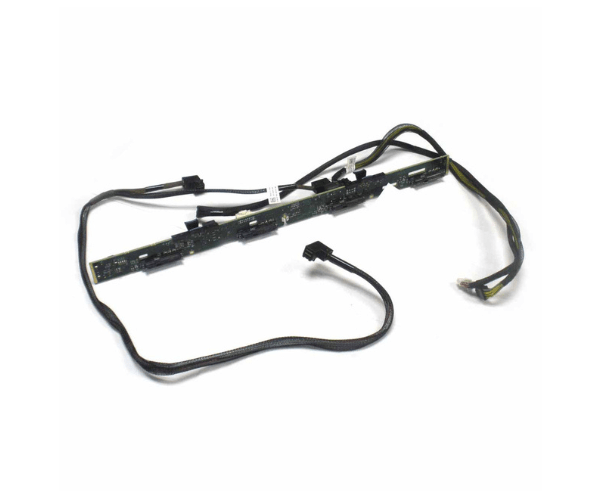
Introduction of Dell 4T7KV 4x 3.5in Backplane for PowerEdge R730xd
The Dell 4T7KV 4x 3.5in Backplane for PowerEdge R730xd enhances the storage capabilities of your Dell PowerEdge R730xd server. This backplane provides a reliable and efficient solution for managing multiple 3.5-inch drives, supporting both SAS and SATA interfaces for versatile storage options. It ensures seamless integration and high performance for demanding data environments.
Why Choose the Dell 4T7KV 4x 3.5in Backplane?
The Dell 4T7KV 3.5in Backplane for PowerEdge R730xd is designed to optimize storage capacity and performance. This backplane stands out due to its robust construction and compatibility with PowerEdge R730xd servers, making it an ideal choice for data centers and enterprise environments. It supports multiple drive configurations, ensuring you can handle large volumes of data efficiently.
User Experience
Users consistently highlight the Dell 4T7KV's reliability and ease of installation. The backplane integrates seamlessly with the PowerEdge R730xd, providing a straightforward setup process. Its high-quality construction ensures long-lasting performance and stability, making it a dependable choice for expanding storage needs.
Key Features
- High Capacity: Accommodates four 3.5-inch drives, enhancing storage capabilities.
- Versatile Compatibility: Supports both SAS and SATA drives for flexible storage options.
- Durable Construction: Made from high-quality metal for robust performance and longevity.
- Efficient Cooling: Includes an integrated cooling system to prevent overheating.
- Seamless Integration: Designed specifically for the PowerEdge R730xd for a perfect fit.
Installation Steps
- Power Down: Shut down the server and disconnect all power sources.
- Open Server: Remove the server cover to access the internal components.
- Locate Slot: Find the appropriate slot for the backplane within the server chassis.
- Install Backplane: Securely mount the Dell 4T7KV backplane into the designated slot.
- Connect Cables: Attach the necessary cables to the backplane and the drives.
- Replace Cover: Put the server cover back in place and reconnect power sources.
- Power On: Turn on the server and verify that the backplane and connected drives are recognized by the system.
Where It Can Be Used?
The
Dell 4T7KV 4x 3.5in
Backplane is ideal for use in data centers, enterprise environments, and any application that requires reliable and expandable storage. It excels in high-performance computing tasks, large-scale data processing, and virtualized environments.