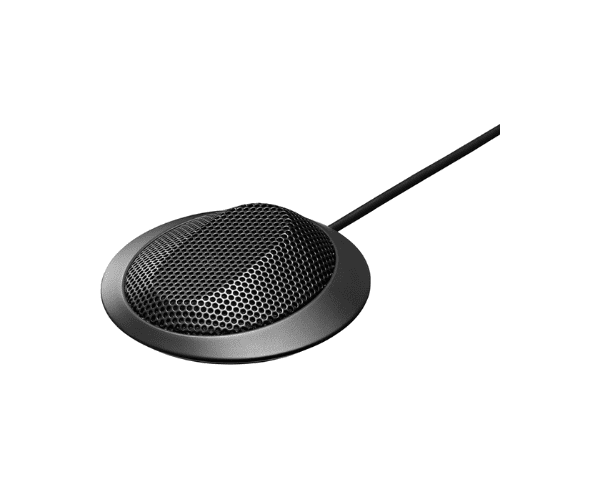
About of Toa EM-700 Boundary Microphone
The TOA EM-700 Boundary Microphone boasts high intelligibility, combining a sleek design in compact dimensions. Suitable for conferences, meetings, and presentations, it assures sound clarity and homogeneity. It's well-built to high standards and hence commands the respect of discerning professionals.
Specification
| Feature |
Details |
| Microphone Type |
Boundary condenser microphone |
| Frequency Response |
20 Hz – 20 kHz |
| Polar Pattern |
Half-cardioid |
| Sensitivity |
-35 dB ±3 dB |
| Connector |
XLR-3-12 type |
| Power Requirement |
Phantom power (9V – 52V DC) |
| Dimensions |
120 mm x 85 mm x 20 mm |
| Weight |
200 grams |
Description
Toa EM-700 Boundary Microphone in BD
The TOA EM-700 Micro-Phone is designed to provide the highest audio performance in professional applications. It comes with a half-cardioid pickup pattern, which captures the sound in the central area while reducing background noise. Suitable for boardrooms, studios, and big gatherings, it reproduces voice clearly.
User Experience
The Toa EM-700 Microphone is popular among users because of the gain in audio clarity and ease of use. Sleek and discreet, its thin profile is designed to complement any setting, while the strength and durability of this compact build afford lifelong service. Professionals realize consistent performance from it in their conference rooms and studios on critical tasks. Overall, the Toa EM-700 is a must-have for those who demand reliability and precision in sound recording.
Why Choose the Toa EM-700 Microphone?
- Greater clarity of sound for professional settings.
- Sleek, low-profile design for just about any application.
- Durable construction for long life.
- Easy integration into standard audio sets.
- Trustful performance that has placed the Toa EM-700 Microphone right on top.
Installation Steps
- Unbox the Toa EM-700 Microphone and verify it for any damages.
- Connect the microphone to an XLR cable.
- Make sure phantom power is turned on for your audio device or mixer.
- Place the microphone on a flat, stable surface for the best sound capture.
- Move the microphone for best audio pick-up.