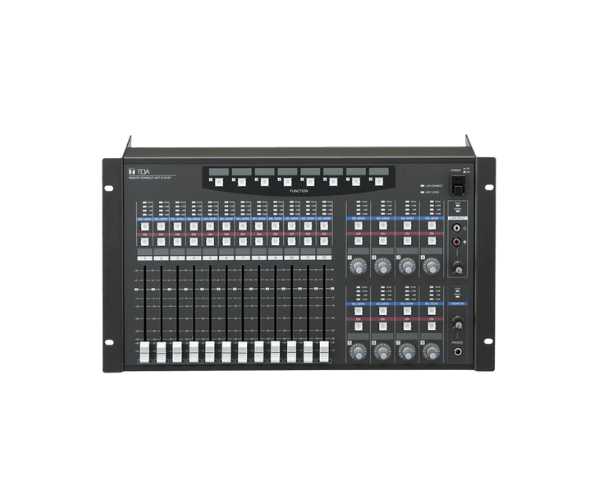
About of Toa D-2012C Remote CE Version
The Toa D-2012C Remote Console CE Version is a flexible, easy-to-use communication system. It provides direct and intuitive control with easy integration into professional audio applications. A remote console for public address and sound systems provides smooth operation and higher performance in such applications.
Specification
| Feature |
Details |
| Model |
D-2012C |
| Display |
LCD with backlight |
| Connectivity |
Ethernet, RS-232C |
| Dimensions (H x W x D) |
44 x 320 x 170 mm |
| Weight |
1.8 kg |
| Power Supply |
DC 12V, via external adapter |
| Operating Temperature |
0°C to 40°C |
| Supported Devices |
Compatible with Toa D-2000 series |
Description
Toa D-2012C Remote CE Version in BD
The Toa D-2012C Remote Console CE Version is designed to provide easy operation and functional control of professional audio equipment. It connects easily to multiple Toa D-2000 series devices for centralized control in public address and sound systems. With its ease of use, this console makes communication smooth and effective in any environment.
User Experience
The Toa D-2012C Console CE Version provides ease in operational efficiency. It features an intuitive LCD display, clear information, and a well-thought-out layout for fast settings. The D-2012C also features Ethernet and RS-232C interface to ensure safe communication between the devices connected with it. It has smooth integration through the remote console and is suitable for big audio systems. Be it the sound system in the conference room or at the public venue, Toa D-2012C makes managing complex audio setups rather easy and straightforward. Designed compact, it is also quite convenient to install and operate while offering versatility across diverse environments.
Why Buy the Toa D-2012C Remote Console CE Version
- User-friendly design: Simple and easy-to-operate controls.
- Wide compatibility: Works well with Toa D-2000 series devices.
- Reliable connectivity: Supports Ethernet and RS-232C connections to accommodate smooth integration.
- Compact and portable: Space-saving design, perfect for versatility in environments.
- Professional performance: Assures effective public address and sound system control.
Steps of Installation
- Unpack the TOA D-2012C Remote CE Version. Ensure all accessories are included.
- Connect the remote console to an alternating current supply through the attached external adapter.
- Connect it using an Ethernet or RS-232C connection cable to one series of Toa D-2000.
- Situate the Remote Console for easy operation and setting.
- Supply it with a current and other attached equipment; this would turn it on to set.
- Use the intuitive LCD display to configure settings and control the connected devices.
- Test the system for proper communication and functionality.