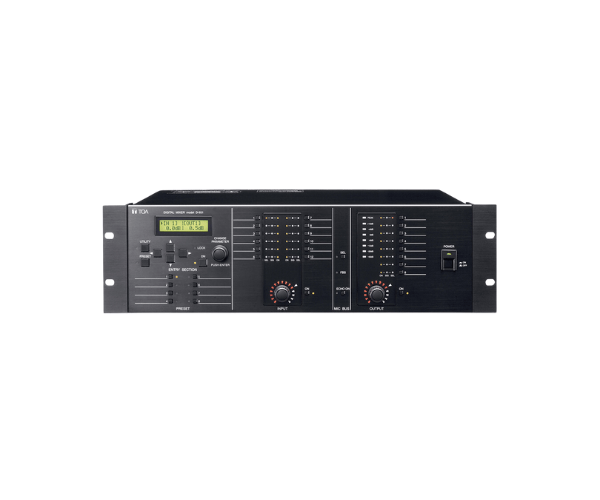
About of Toa D-901 Mixer
The Toa D-901 Digital Mixer is a professional, high-performance audio mixing system that features advanced digital signal processing, intuitive controls, and versatile connectivity to assure an uncompromising audio experience for both live sound and installations.
Specifications
| Feature |
Details |
| Channels |
8 Channels (6 mono, 2 stereo) |
| Input Type |
XLR, 1/4" TRS, RCA |
| Output Type |
XLR, 1/4" TRS, RCA |
| Sampling Rate |
48kHz |
| Frequency Response |
20Hz - 20kHz |
| DSP Effects |
Reverb, Delay, EQ, Compressor |
| Input Gain Control |
Yes |
| Phantom Power |
48V for condenser microphones |
| Dimensions |
320 mm x 90 mm x 230 mm |
| Weight |
3.2 kg |
Toa D-901 Digital Mixer in BD
The Toa D-901 Digital Mixer is a very powerful audio mixing tool that will be ideal for professional sound engineers and musicians alike. It offers a wide array of advanced digital features, intuitive interface, and versatile I/O options. Whether setting up for a live performance or studio recording, this mixer ensures precise sound control and flexibility.
User Experience
Operating the Toa D-901 Mixer is very easy, with its intuitive interface and responsive touch controls. The logical arrangement of the mixer allows for effortless adjustments to parameters such as EQ, reverb, and gain. Its digital processing provides great clarity in sound, and the robust structure promises durability even under stringent conditions. Be it live performances or studio applications, Toa D-901 offers ease of operation and seamless connectivity with other audio equipment.
Why Choose the Toa D-901 Digitals Mixer?
- Compatible connectivity options with any setup for audio.
- DSP built-in effects for value-added sound control.
- Solid build; compact to optimize mobility.
- Simple, intuitive interface for users at all skill levels.
- Excellent sound with professional-level features.
- Ideal for both live sound and studio environments.
Installation Steps
- Unbox the Toa D-901 and place it on a stable surface.
- Connect your audio sources (microphones, instruments, etc.) to the appropriate input channels.
- Connect the output devices, such as speakers or amplifiers, to the corresponding output ports.
- Power up the mixer by using a power cable.
- Set the gain and input levels depending on your audio sources.
- Make equalizer adjustments and add DSP effects where needed.
- Now, try to play some audio through the mixer in order to see that the system is set up as it should be.
- Save and start working with the Toa D-901 Digital.