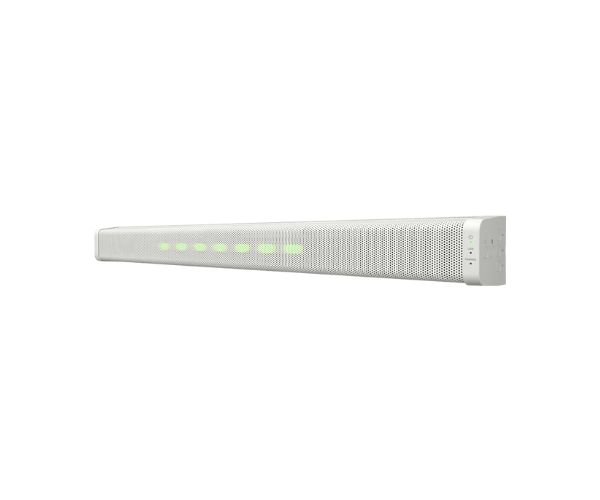
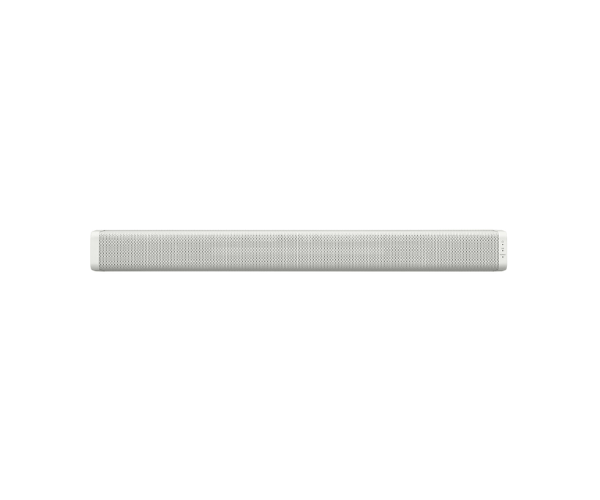
About of Toa AM-CF1W Audio Collaboration System
The TOA AM-CF1W Integrated Audio Collaboration System is the higher class in seamless communication, integrated with high-quality audio and video conferencing functions for professional and collaborative environments.
Specification
| Feature |
Details |
| Microphone Type |
Beam-steering array |
| Speaker Type |
Full-range speakers |
| Connectivity |
USB, Bluetooth, and LAN |
| Audio Features |
Echo cancellation and noise reduction |
| Power Supply |
DC 19V |
| Dimensions |
600 mm x 70 mm x 120 mm |
| Weight |
2.4 kg |
| Applications |
Video conferencing, remote meetings |
Description
Toa AM-CF1W Integrated Audio Collaboration System in BD
The Toa AM-CF1W Audio Collaboration System redefines the way of communication with its sophisticated beam-steering microphone array and superior speakers for clear audio. It perfectly fits into any conference room for effective and efficient remote collaboration among businesses.
User Experience
The advanced audio technology of the Toa AM-CF1W Integrated Audio System provides users with clarity, even in the noisiest of environments. The beam-steering microphone picks up voices from all directions, while echo cancellation keeps conversations smooth. It's easy to set up and connects with several devices making it a favorite among professionals who need reliability during remote meetings. Its sleek design and user-friendly controls elevate every collaboration.
Why Choose the Toa AM-CF1W Integrated Collaboration System?
- Excellent Audio Clarity: Beam-steering microphone to capture every word.
- Advanced Technology: Echo cancellation and noise reduction for seamless conversations.
- Versatile Connectivity: Connect via USB, Bluetooth, or LAN.
- Easy Integration: Seamlessly integrates with video conferencing systems.
- Sleek Design: Give modern conference rooms sophistication.
Installation Steps
- Unpack the Toa AM-CF1W Integrated Audio System and set it up in the conference room.
- Plug in the power adapter into the AC outlet.
- Connect to your system through USB, Bluetooth, or LAN.
- Do a trial for the microphone-speaker arrangement.
- Begin the video conference or meeting.