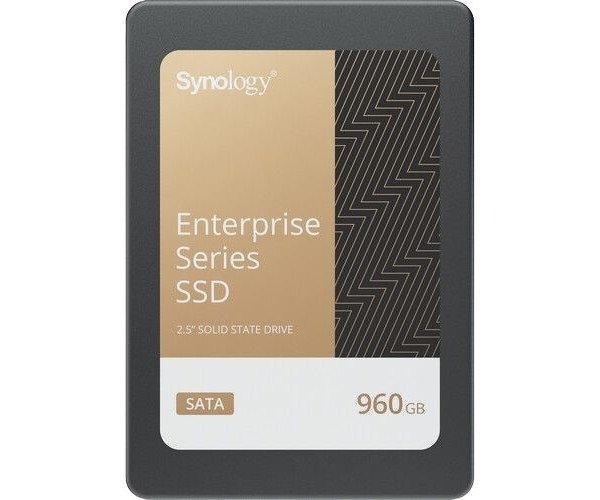
About the Synology NAS SAT5221-960G 960 GB 2.5" Internal SATA SSD
The Synology NAS SAT5221-960G 960GB 2.5" Internal SATA SSD is designed for high-performance NAS storage systems. With fast read/write speeds and a durable 960GB capacity, it enhances your NAS environment for seamless data storage and management.
Synology NAS SAT5221-960G 960GB 2.5" Internal SATA SSD in BD
The Synology NAS SAT5221-960G 960GB 2.5" Internal SSD is all about NAS - it is made to deliver well and give an extended life. The internal SSD promises superfast read/write speeds that will enhance data processing and applications with an experience optimized for heavy use. Perfectly capable of being used in both homes and businesses.
User Experience
The 960GB 2.5" Internal SATA SSD Synology NAS SAT5221-960G will revolutionize internal storage with your NAS. With its huge read and write speeds up to 560 MB/s and 530 MB/s respectively, transferring large amounts of data has never been faster. Smooth runs, with almost imperceptible stutter, can be counted upon from the data-hungry applications, such as video editing and 4K streaming. Energy consumption of the SSD is so low that the NAS can operate well, not using up lots of power. This combination of 1.7 PB TBW guarantees that the durability is backed up for a long life. For a home server or commercial use, this SSD is truly one of the best options.
Why Choose the Synology NAS SAT5221-960G 960 GB 2.5" Internal SATA SSD?
The
Synology NAS SAT5221-960G 960GB Internal SATA SSD is a great option for anyone looking to create or upgrade their NAS. Blistering speed for all of your demanding applications and huge datasets makes it a smart choice. The 960GB space is sufficiently ample for most users, so you won't run out too quickly. Long-lasting endurance and durability make this SSD a trustworthy option for personal or professional use. With a focus on energy efficiency, it can be integrated easily into Synology NAS systems delivering an overall better user experience while guaranteeing longevity.
Installation Steps
- Power off your NAS – Ensure that the NAS is unplugged to avoid electrical damage.
- Open the NAS chassis – For your NAS model, either remove the side or top panel.
- Locate the SSD slot – Look for the available 2.5-inch SATA bay.
- Install the SSD – Insert gently Synology NAS SAT5221-960G 960GB 2.5" Internal SSD into the slot ensuring proper connection.
- Secure SSD – Fasten it with mounting screws if necessary.
- Close the NAS – Replace chassis cover and secure it.
- Power on your NAS – The system should detect the SSD after turning the NAS on.
- Configure the SSD – Follow on-screen instructions to format and configure the SSD for your NAS settings.