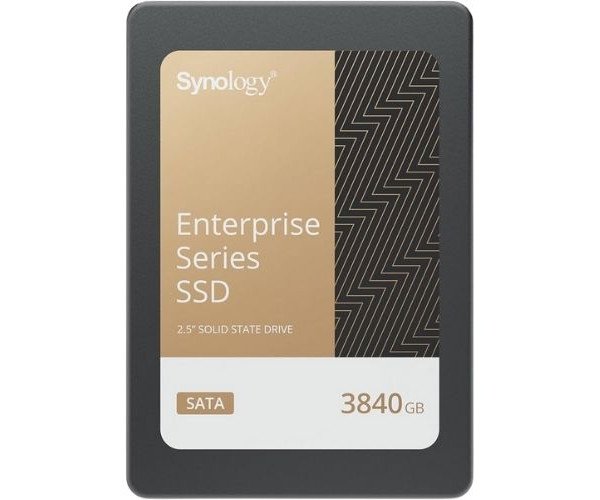
About the Synology NAS SAT5221-3840G 3.84 TB 2.5" Internal SATA SSD
The Synology NAS SAT5221-3840G 3.84TB 2.5" Internal SATA SSD offers fast, stable, and reliable storage. Built for Synology NAS systems, it ensures excellent performance, long-term endurance, and efficient caching for intensive workloads like virtualization and large file transfers.
Synology NAS SAT5221-3840G 3.84TB 2.5" Internal SATA SSD in BD
The Synology NAS SAT5221-3840G 3.84TB 2.5" Internal SATA SSD Specifically for Synology NAS Use works in unison with Synology NAS devices, complementing the existing technology to deliver robust performance, durable endurance, and seamless integration with DSM, making it ideal for small businesses and professionals seeking to enhance their NAS speed and reliability using solid-state technology.
User Experience
Real NAS upgrade is the Synology NAS SAT5221-3840G 3.84TB 2.5" Internal SATA SSD. Users notice that data transfer speeds have increased, large files are accessed more smoothly, and virtual machine performance improves. Its steady read/write speeds and high endurance make it ideal for everyday use and demanding business tasks. The SSD fits easily into most Synology NAS bays and works flawlessly with DSM features like storage pools and SSD caching. It’s a clear winner for users wanting to take full advantage of their Synology NAS systems.
Why choose The Synology NAS SAT5221-3840G 3.84TB Internal SATA SSD?
The
Synology NAS SAT5221-3840G 3.84TB 2.5" Internal SSD is made for Synology systems. True compatibility and performance can't be matched by any other manufacture's product. With its enterprise-grade durability supporting heavy workloads, long-term reliability of the system is assured. Not made for consumer use as most consumer SSDs, this one is engineered for NAS environments, assuring highly stable read/write speeds for stable operation even during continuous use. If you're searching for an upgrade you could trust to maximize your NAS, accelerate backups, support high IOPS applications, and keep everything running smoothly, consider
Synology NAS SAT5221-3840G 3.84TB Internal SATA SSD for a smart buy.
Installation Procedures
- Power off the Synology NAS and disconnect from the outlet.
- Open up the NAS enclosure and remove the one available 2.5" drive bay.
- Insert the Synology NAS SAT5221-3840G 3.84TB 2.5" Internal SSD in the tray and using screws, hold it in place.
- Slide the tray back into the NAS and close the enclosure.
- Power on the NAS and access DiskStation Manager (DSM).
- Go to Storage Manager, create or expand a storage pool using the SSD.
- Enable SSD cache or assign it to volume use, depending on your setup.