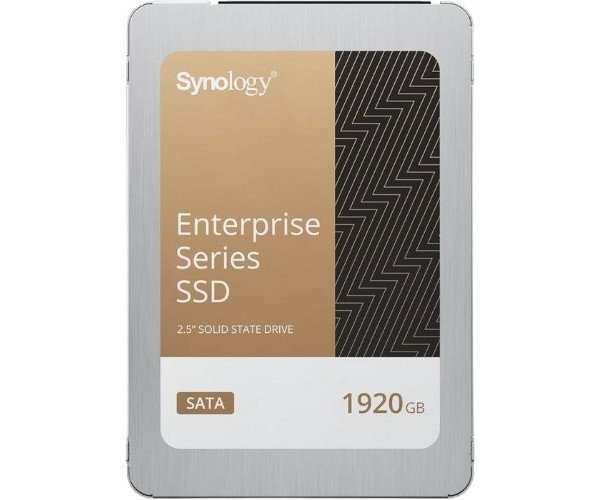
About the Synology NAS SAT5221-1920G 1.92TB 2.5" Internal SATA SSD
The Synology NAS SAT5221-1920G 1.92 TB 2.5" SATA SSD is a high-performance 1.92TB 2.5" SATA SSD designed for reliable data storage in NAS environments, offering enhanced durability, speed, and efficiency for demanding applications.
Synology NAS SAT5221-1920G 1.92 TB 2.5" Internal SATA SSD in BD
The Synology NAS SAT5221-1920G 1.92 TB 2.5" Internal SSD is designed specifically for NAS applications, enabling great reading and writing speeds and an extended life expectancy. It carries a phenomenal capacity of 1.92 TB, which is aimed at high-performance end-users in both personal and business environments.
User Experience
The user reviews for Synology NAS SAT5221-1920G 1.92TB SSD comprise extraordinary performance under high demands in a NAS environment. The single drive with very high sequential read and write speed makes transfer of data smooth, and this is followed by the capacity of 1.92TB, where even large files can be stored easily. The drive performs very well, especially in terms of reliability, whereby performance is maintained over time. Added to protection against power loss, extra safeguards are ensured so that data integrity is observed during unexpected shutdowns. Users, in general, have found it an excellent solution for their home offices, even small businesses, and most professional workflows requiring fast and reliable storage.
Why Choose the Synology NAS SAT5221-1920G 1.92 TB 2.5" Internal SATA SSD:
The
Synology NAS SAT5221-1920G 1.92TB 2.5" Internal SATA SSD is perfect for fast and dependable storage in NAS solutions. With a tough, long-life capacity, and high-speed transfer to boot, it would serve equally well in the home or business. It protects data from loss during outages by extending power-loss protection. By virtue of its slim 2.5" form factor, the solution is ready for just about any NAS setup, making it versatile and easy to implement. With the
Synology NAS SAT5221-1920G, you will have ensured that data handling has been smooth and uninterrupted for all your storage needs.
Installation Steps
- Power Down Your NAS Device: It should be switched off and unplugged before starting the installation process.
- Locate the Storage Bay: Open the NAS device and locate the drive bay that supports 2.5" SATA SSDs.
- Insert the Synology NAS SAT5221-1920G: Gently slide the Synology NAS SAT5221-1920G 1.92TB SSD into the bay, ensuring correct and tight fitting to the SATA interface.
- Secure the Drive: Use the proper screws or tray for the SSD.
- Reassemble and Power On: Now reassemble the NAS device and turn it on.
- Format and Set Up: Follow the on-screen prompts from the NAS system to format and set the drive up for use.