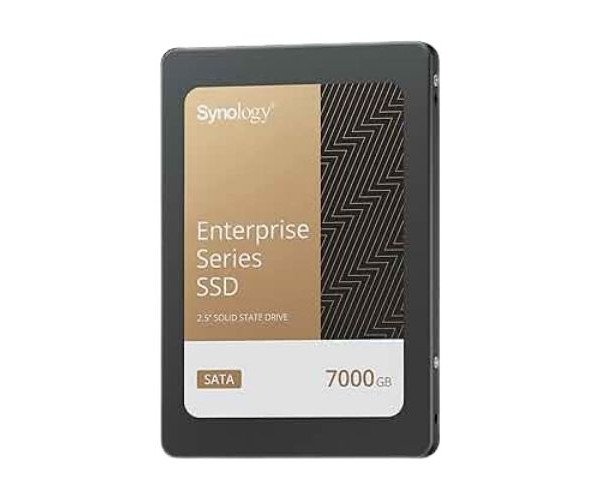
About the Synology NAS SAT5210-7000G 7TB 2.5" Internal SATA SSD
The Synology NAS SAT5210-7000G 7 TB 2.5" Internal SATA SSD is built for heavy workloads and constant use in Synology systems. It ensures fast data access, stable performance, and excellent reliability, ideal for business and advanced home users.
Synology NAS SAT5210-7000G 7 TB 2.5" Internal SATA SSD in BD
The Synology NAS SAT5210-7000G 7 Terabyte 2.5" Internal SATA SSD provides business-class speed and stability. While tailor-made for Synology NAS systems, the SAT5210-7000G handles high data throughput, minimizing lag and maximizing uptime. Be it for file sharing, surveillance, or backup, it keeps your systems running smoothly and fast.
User Experience
Users of the Synology NAS SAT5210-7000G 7TB 2.5" Internal SATA SSD note enhanced speed during file transfers and heavy data-use situations. Fast booting, silent running, and no signs of lagging are some key features of the SSD, even under constant use. With virtualization, surveillance storage, and real-time backups being its profession-grade applications, users in the home appreciate quick file access and stable media streaming. Installation is a breeze, and once up and running, the setup provides reliability. Users feel secure in knowing their data is on a solid, reliable drive with this SSD.
Why Choose Synology NAS SAT5210-7000G 7TB Internal SATA SSD?
With the
Synology NAS SAT5210-7000G 7TB 2.5" Internal SATA SSD, there can be no better option if you are after speed, endurance, and trusted quality. Its design is made especially for Synology NAS, and therefore you will have full compatibility with Synology DSM features including caching, file-sharing, or snapshots. Regular SSDs simply cannot withstand 24/7 strenuous workloads. That is for sure. A high-endurance rating distinguishes the
Synology NAS SAT5210-7000G 7 TB 2.5" SSD from the rest. Whether you are setting up a small business, a smooth-running design studio, or just a tech-savvy home, Synology gives you peace of mind, quick draw, and years of dependable service.
Installation Steps
- Switch Off NAS Device – Power down the Synology NAS through the safe shutdown process.
- Open the Drive Bay – Remove the drive tray from the NAS.
- Now Mount the SSD – Insert the Synology NAS SAT5210-7000G 7TB 2.5" Internal SSD in the 2.5" tray and screw in tightly.
- Insert Tray – Slide the tray back into the NAS slot.
- Power on the NAS – Power on the NAS and wait for it to boot.
- Open the DSM Storage Manager – Initialize your SSD from DSM, go to Storage Manager, and initialize the SSD.
- Create or Expand Storage Pool – Now, your SSD can be used to create a volume or to expand an existing pool.
- Start Using Your SSD – Enjoy faster performance thanks to this reliable upgrade.