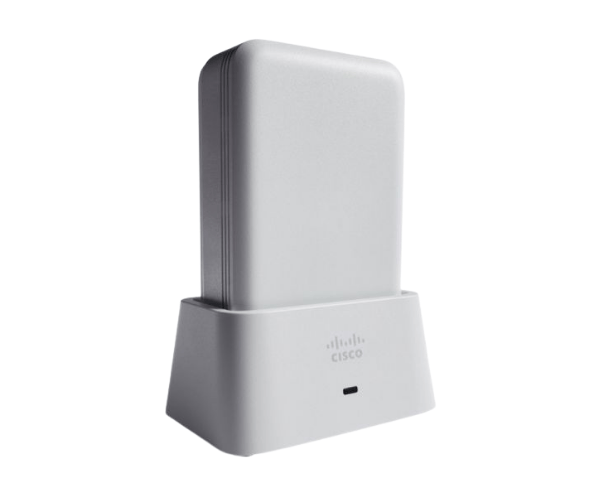
Overview of AIR-OEAP1810-B-K9 Cisco Aironet 1810 OfficeExtend Access Point
The
AIR-OEAP1810-B-K9 Cisco Aironet 1810 OfficeExtend Access Point is built to deliver secure corporate Wi-Fi to remote and home office settings. Whether you're a small business or a large corporation, this device ensures that employees have secure and high-performance access to the corporate network from anywhere. With seamless connectivity, dual-band support, and advanced security features, this access point helps businesses maintain productivity while keeping their networks secure.
Why Choose the AIR-OEAP1810-B-K9 Cisco Aironet 1810 OfficeExtend Access Point?
The
AIR-OEAP1810-B-K9 Cisco 1810 Access Point is ideal for businesses looking to offer a secure and reliable connection to their remote workforce. It simplifies remote network access by allowing users to connect seamlessly to their corporate network, ensuring the same level of security and performance they would have in the office. This access point supports a wide range of applications, offering flexibility and advanced management features, making it the best choice for enterprises of any size.
User Experience
Users who deploy the
AIR-OEAP1810-B-K9 experience uninterrupted connectivity and consistent performance across all devices. Its dual-band technology minimizes interference, allowing employees to work efficiently without lags or drops in connection. Additionally, the setup process is simple, and once configured, users can enjoy secure access to all necessary corporate resources, increasing productivity.
Detailed Breakdown of Features
- Dual-Band Connectivity: Operates on both 2.4 GHz and 5 GHz frequencies for superior performance
- Seamless Integration: Easily connects remote workers to the corporate network
- Advanced Security: Supports WPA2, WPA3, and VPN to safeguard sensitive information
- 802.11ac Wave 2: Delivers faster and more reliable Wi-Fi speeds
- Compact Design: Small and lightweight for easy installation and minimal space usage
- Ethernet Ports: Two Gigabit Ethernet ports for high-speed wired connections
- PoE Support: Simplifies installation by providing both power and data through a single cable
- Built-In Antennas: Ensure optimal signal strength and coverage
- Easy Management: Configurable via a user-friendly interface for IT teams
Installation Step-by-Step
- Unbox the Device: Remove the AIR-OEAP1810-B-K9 from its packaging.
- Mount the Access Point: Secure the device on the wall or ceiling using the provided hardware.
- Power the Device: Connect it to a PoE-capable switch or use the included power adapter.
-
Connect to the Network: Plug the Ethernet cables into the appropriate ports on the access point.
- Configure Settings: Use the Cisco management interface to set up the network, security, and user access settings.
- Test the Connection: Ensure that the access point is delivering optimal performance by connecting a device.
Where Can It Be Used?
The
Cisco Aironet 1810 OfficeExtend Access Point can be deployed in various environments, including:
- Corporate Offices: Perfect for remote workers needing secure access to the corporate network.
- Home Offices: Ensures seamless and secure connectivity for telecommuters.
- Healthcare Facilities: Facilitates reliable communication between medical devices and staff.
- Educational Institutions: Provides secure access for students and faculty working remotely.
- Retail Locations: Secure and reliable internet for businesses needing a remote connection.