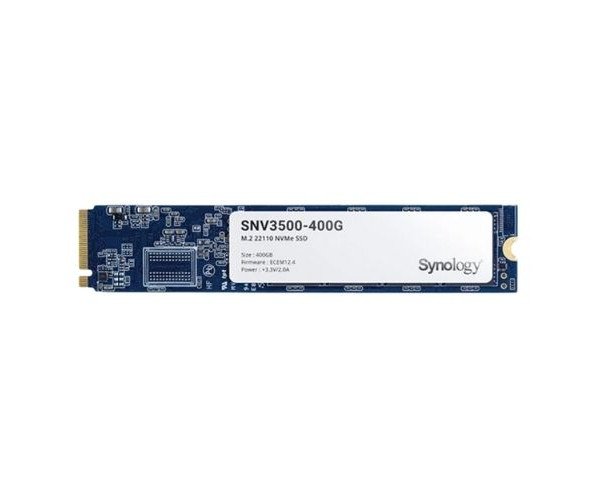
About the Synology Enterprise SNV3500-400G 400 GB M.2 NVMe Internal SSD
The Synology Enterprise SNV3500-400G 400GB M.2 NVMe Internal SSD delivers high-speed data access, strong durability, and optimized performance for enterprise NAS systems and intensive caching tasks.
Synology Enterprise SNV3500-400G 400GB M.2 Internal SSD in BD
The Synology Enterprise SNV3500-400G 400GB M.2 NVMe Internal SSD is especially designed for high-end NAS applications. Whether small business mundane files transfer functions, or challenging on traffic heavy files, this SSD can provide you with the needed speed and stability for trustworthy caching of system information an access to data at low latency.
User Experience
Users that have their NAS with Synology Enterprise SNV3500-400G 400GB M.2 NVMe Internal, then really praise its stability, endurance, and speed. It handles multiple data requests rather smoothly, especially under very heavy loads. Reduced lag, fast boot times, and smooth performance are by facilitated in this very high-end endurance with 3D TLC NAND. The noticeable performance speeds would be here in access to data and other environments with multiple users. Video editing, file backup, and running databases are some of their applications that are excellent worth reliability. Under heat-testing conditions, this SSD has a thermal management system in place to ensure that it runs cool at all times to achieve optimum performance 24/7.
Why Choose the Synology Enterprise SNV3500-400G 400 GB M.2 NVMe Internal SSD?
- Optimized for Synology NAS: Designed only for Synology NAS cache acceleration to the max.
- High-Endurance: With a huge 4912 TBW, it can cope with thousands of daily writings without flinching.
- Enterprise-Grade Reliability: Constructed to handle serious business environments.
- Top-Speed Performance: Up to 3100 MB/s read, perfect for fast file access.
- Long Life: 1.8 Million Hours MTBF makes it robust and long-lasting.
Installation Steps
- Make sure to power off your Synology NAS and unplug it.
- Open the NAS chassis in accordance with the owner's manual.
- Locate the M.2 NVMe slot (found typically at the motherboard).
- Carefully insert the Synology Enterprise SNV500-400G Internal SSD 400GB into the slot at a 30 degrees angle.
- Attach the SSD using the provided screw.
- Finally, close it up again.
- Re-plug the power line and turn on the system again.
- Then go to DSM (DiskStation Manager), open Storage Manager, and set the new SSD as an SSD cache.