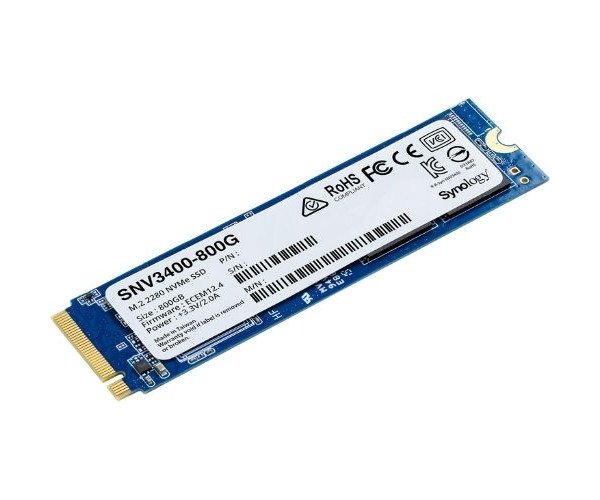
About the Synology Enterprise SNV3410-800G 800 GB M.2 NVMe Internal SSD
The Synology Enterprise SNV3410-800G 800GB M.2 NVMe Internal SSD is designed for high-speed storage performance in enterprise NAS environments. It offers exceptional reliability, durability, and consistent I/O performance for intensive workloads like virtualization, database storage, and heavy file transfers.
Synology Enterprise SNV3410-800G 800GB M.2 NVMe Internal SSD in BD
Having been made specifically for Synology NAS, the Synology Enterprise SNV3410-800G 800GB M.2 NVMe Internal SSD is a business-class storage solution. With top-of-the-line read/write speeds and endurance under long periods, it is perfect for environments where caching and continuous data accessibility is of utmost importance. It also is an intelligent choice for IT professionals.
User Experience
User experience reports on the Synology Enterprise SNV3410-800G 800GB Internal SSD indicate that excellent performance with very little latency is offered. This will allow NAS systems to be significantly speeded up using the SSD cache, especially for file sharing and virtualization. Installation is easy with M.2 2280 form factor. It also operates in silence, provides stable performance, and is capable of surviving under 24/7 workloads. Regardless of backing up databases or large databases, it seems that their systems run faster and more efficiently without any hindrance with the new Synology Enterprise SNV3410-800G 800GB M.2 NVMe Internal Solid State Drive. This really boosts NAS productivity without complicating anything.
Why Choose the Synology Enterprise SNV3410-800G 800 GB M.2 NVMe Internal SSD?
The Synology SNV3410-800G 800GB M.2 NVMe Internal SSD is ready for demanding applications on a Synology NAS. It delivers the high IOPS requirements for smooth data handling while also accelerating access to key files. This is a firm-waisted 1,022 TBW endurance lifetime in business use: this SSD enables constant cache acceleration, which makes your NAS produce well even under increased loads and user numbers. Performance, reliability, and reduced latency - more reasons for considering an upgrade to the Synology SNV3410-800G 800GB M.2 NVMe Internal SSD. Speed and reliability are in store with the Synology Enterprise SNV3410-800G 800GB SSD.
Installation Steps
- Power off your Synology NAS and unplug all cables.
- Open the NAS enclosure according to your device manual.
- Locate the M.2 slot and remove any placeholder if present.
- Carefully insert the Synology Enterprise SNV3410-800G 800GB Internal SSD into the M.2 slot at a 30-degree angle.
- Gently press it down and secure it using the provided screw.
- Reassemble the enclosure and reconnect all cables.
- Power on your NAS and log into DSM.
- Go to Storage Manager SSD Cache and configure the SSD as a cache drive.
- Follow the prompts to complete setup.
- And there you go: improved NAS performance!