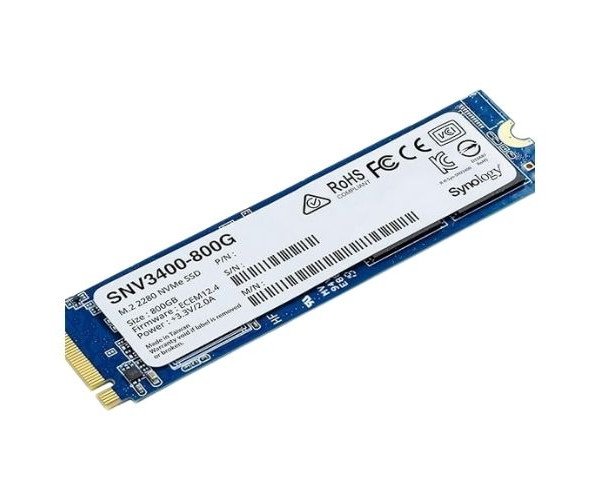
About the Synology Enterprise SNV3400-800G 800 GB NVMe Internal SSD
The Synology Enterprise SNV3400-800G 800GB NVMe Internal SSD is engineered for high-performance applications, offering rapid read/write speeds, reliability, and endurance. Ideal for enterprise environments, this SSD ensures smooth data operations for demanding workloads.
Synology Enterprise SNV3400-800G 800 GB NVMe Internal SSD in BD
The Synology Enterprise SNV3400-800G NVMe Internal SSD is an 800GB capacity SSD that promises high-end storage for enterprises with ultra-premium functionality and performance and a low-latency signature. It is built with top reliability for the most critical workload critical operations in high-speed data transfer; with it, no task can ever get too tough for the system. The SSD is just perfect whether managing big data sets or running intense applications: it ensures consistent and speedy secure processing of data.
User Experience
Users will appreciate the speed and reliability of the Synology Enterprise SNV3400-800G 800GB NVMe Internal SSD whether using it in a server or high-performance workstation. It enhances the overall system performance. The maximum read and write speeds of the device, at 3,500 and 2,100 MB/s respectively, turn data transfer and access very seamless, thereby avoiding latency and increased productivity. It does not mind very demanding workloads, while the SSD has great resistance to shock and vibration in the environment. This device is easy to install, plugs-and-plays with Synology NAS systems for even smoother user experience.
Why Choose the Synology Enterprise SNV3400-800G 800GB Internal NVMe SSD?
The
Synology Enterprise SNV3400-800G The 800GB Internal SSD is arguably one powerful and excellent enterprise choice for storage because it is way faster, long-lasting, and highly performing. Just as fast and well-performing with regards to up to 3,500 MB/s in read speed and 2,100 MB/s in write speed, this SSD effortlessly takes care of high-demand applications. Its astonishing endurance with 1.2PBW offers a good chance for performance under critical workloads. Whether you are updating your server or optimizing storage in a NAS, this NVMe SSD guarantees security and speed for reliable long system services, just what is necessary to ensure smooth enterprise operations.
Installation Step
- Preparation for the system: Shut down your device (server or workstation) and disconnect cables.
- Locate the M.2 Slot: Open the system case and look for an open M.2 PCIe Slot.
- Insert SSD: Slide the Synology Enterprise SNV3400-800G 800GB NVMe Internal SSD into the M.2 slot at a 30-degree angle.
- Secure the SSD: Press it down gently and secure it into the body using a screw.
- Close System: Reassemble all the compartments into the system and reconnect all cables.
- Boot System: Turn your device on, and enter the BIOS/UEFI to check if the SSD is detected.
- Install drivers if needed: Install all the drivers needed for optimal performance.
- Format the SSD: Format the SSD when needed for use by your operating system.