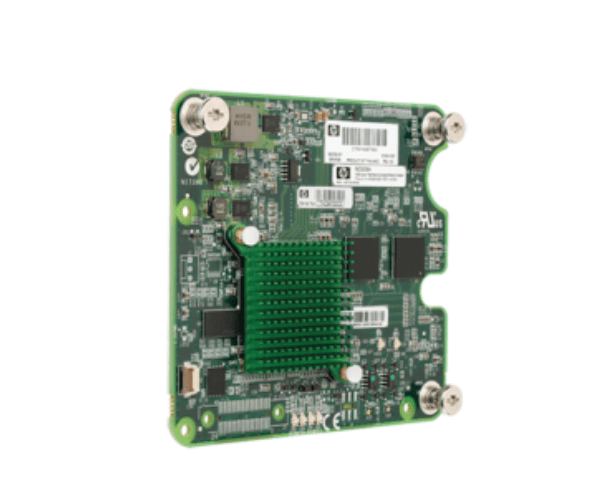
P9G78A HPE NC553m 10Gb 2-port FlexFabric Adapter
The P9G78A HPE NC553m 10Gb 2-Port FlexFabric Adapter is designed to deliver high-speed, flexible network connectivity for HPE server environments. With dual 10Gb Ethernet ports, this adapter enhances network performance, providing reliable and scalable solutions for demanding data center and enterprise applications.
User Experience
Users of the HPE NC553m 10Gb 2-Port FlexFabric Adapter have reported substantial improvements in network speed and efficiency. This adapter's dual 10Gb ports enable high-bandwidth connectivity, crucial for applications requiring fast and reliable data transfers. Its compatibility with various operating systems and ease of installation make it a preferred choice for enhancing server network capabilities.
Why Choose the P9G78A HPE NC553m 10Gb 2-Port FlexFabric Adapter?
The
HPE NC553m 10Gb 2-Port FlexFabric Adapter is a standout solution for upgrading network performance in HPE server environments. It provides dual 10Gb Ethernet ports for robust and scalable connectivity, ensuring optimal performance for data-intensive applications. The adapter’s seamless integration with HPE BladeSystem servers and support for multiple operating systems make it an excellent choice for modern data centers and enterprise networks.
Key Features
- High-Speed Connectivity: Delivers up to 10Gb/s data transfer rates, offering fast and reliable network performance.
- Dual Ports: Features two 10Gb Ethernet ports, enabling high-bandwidth data transfers and network redundancy.
- Flexible Form Factor: Designed as a mezzanine adapter for easy installation in HPE BladeSystem c-Class servers.
- Broad Compatibility: Compatible with HPE ProLiant servers and supports various operating systems, including Windows, Linux, and VMware.
- Enhanced Network Efficiency: Provides robust and scalable network solutions for demanding applications and high-performance environments.
Installation Steps
- Power Down: Ensure the server is turned off and disconnected from the power source before starting the installation.
- Open Server Chassis: Remove the cover of the server to access the mezzanine slots.
- Insert Adapter: Carefully insert the HPE adapter into an available mezzanine slot.
- Secure Adapter: Ensure the adapter is properly seated and fasten it with any necessary screws or locking mechanisms.
- Close Chassis: Replace and secure the server cover.
- Power On: Reconnect the server to the power source and turn it on.
- Install Drivers: Download and install the drivers for the P9G78A HPE Adapter from the HPE support website.
- Configure Adapter: Use network management tools to configure the adapter settings for optimal performance and integration.
- Verify Operation: Check the network interface to ensure the adapter is recognized and functioning correctly.