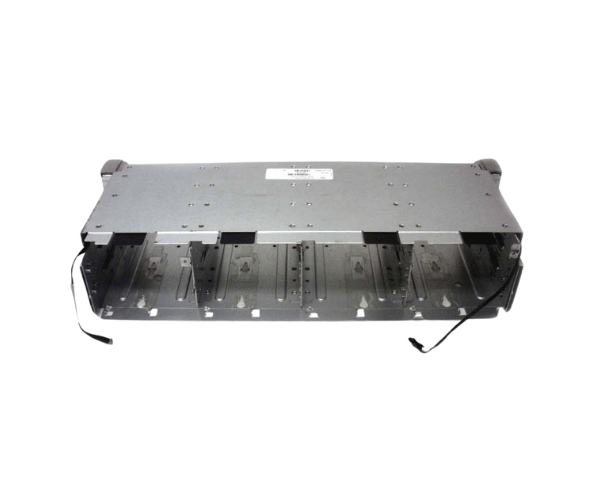
HPE QW968-62002 12-LFF Drive Cage
The
HPE QW968-62002 12-LFF Drive Cage is a robust, high-capacity solution designed for businesses that require reliable and scalable storage. This drive cage is optimized to handle large-scale data storage, making it ideal for enterprise environments. With easy installation and high compatibility, it ensures seamless integration into your existing systems.
User Experience
Users of the
HPE QW968-62 002 12-LFF Drive Expansions Cage consistently praise its seamless installation and reliable performance. The drive cage provides an easy-to-use solution for expanding storage capacity in enterprise environments. Users appreciate its ability to handle a mix of SAS and SATA drives, offering flexibility and scalability. The integrated cooling system ensures that the drives operate within safe temperature ranges, enhancing the longevity and performance of the system. Overall, the product's robust build quality and easy integration make it a top choice for IT professionals.
Why Choose the HPE QW968-62002 12-LFF Drive Cage?
The
HPE QW968-62002 12-LFF Drive Expansions Cages stands out due to its high capacity, reliability, and compatibility with various HPE ProLiant servers. It is designed to support enterprise-level storage needs, making it a perfect choice for businesses looking to scale their data storage infrastructure. The drive cage supports both SAS and SATA drives, allowing for flexible storage options. Moreover, its integrated cooling system and easy installation process minimize downtime and ensure smooth operation. The HPE QW968-62002 12-LFF Drive
Expansions is a reliable, scalable, and cost-effective solution for any enterprise looking to enhance their storage capabilities.
Installation Steps
Installing the
HPE QW968-62002 12-LFF Drive Expansions is a straightforward process:
- Preparation: Ensure your server is powered off and disconnected from all power sources.
- Open the Server Chassis: Remove the server's top cover by releasing the latches.
- Install the Drive Cages: Align the drive cage with the mounting slots inside the server chassis.
- Secure the Cage: Use screws to secure the drive cage in place.
- Connect the Backplane: Attach the SAS/SATA cables from the server motherboard to the backplane of the drive cage.
- Install Drives: Insert your desired SAS or SATA drives into the drive bays of the cage.
- Reconnect Power: Reattach the power supply to the server and power it on.
- Verify Installation: Check the server BIOS or RAID controller to ensure that the drives are recognized.