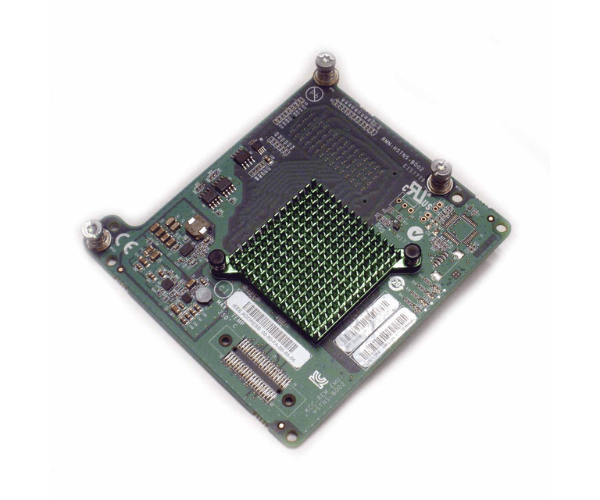
HPE 656912-001 LPe1205A 8Gb FC HBA for BladeSystem c-Class+ Adapter
The HPE 656912-001 LPe1205A 8Gb FC HBA for BladeSystem c-Class is a top-tier Fibre Channel Host Bus Adapter designed to optimize data transfer rates and enhance server connectivity in enterprise storage environments. This HBA is a crucial component for businesses seeking reliable and high-performance SAN solutions.
User Experience
Users of the HPE 656912-001 LPe1205A 8Gb FC HBA have praised its robust performance and reliable data transfer capabilities. The adapter seamlessly integrates into the BladeSystem c-Class environment, providing stable and high-speed connectivity for enterprise storage needs. Users have reported improved efficiency in their SAN environments and appreciate the ease of installation and configuration.
Why Choose HPE 656912-001 LPe1205A 8Gb FC HBA for BladeSystem c-Class?
Choosing the
HPE 656912-001 LPe1205A 8Gb FC HBA for Blade System c-Class ensures you are investing in a high-quality, reliable Fibre Channel HBA. This product enhances server connectivity and supports high-speed data transfers at 8Gbps, making it ideal for demanding enterprise storage solutions. Its compatibility with the HPE BladeSystem c-Class ensures seamless integration, and its dual-port design offers redundancy and increased performance. By selecting the HPE 656912-001 LPe1205A 8Gb FC HBA you are equipping your data center with a trusted and efficient solution.
Key Features
- High-Speed Data Transfer: Achieves data transfer rates of up to 8Gbps.
- Dual-Port Design: Offers redundancy and improved performance.
- Compatibility: Specifically designed for HPE BladeSystem c-Class.
- Reliable Connectivity: Ensures stable and efficient server connectivity.
- Enterprise Storage Support: Ideal for SAN environments and high-performance storage solutions.
Installation Steps
- Power Down the Server: Ensure the server is completely powered off before beginning the installation.
- Open the Server Chassis: Carefully remove the server chassis cover to access the internal components.
- Locate the Mezzanine Slot: Find the appropriate mezzanine slot for the HPE LPe1205A HBA.
- Insert the HBA: Gently insert the HBA into the mezzanine slot, ensuring it is securely seated.
- Secure the HBA: Use screws or clips to secure the HBA in place.
- Connect Fibre Channel Cables: Attach the Fibre Channel cables to the HBA ports.
- Close the Chassis: Replace the server chassis cover.
- Power On the Server: Power on the server and access the BIOS or operating system settings to configure the HBA.