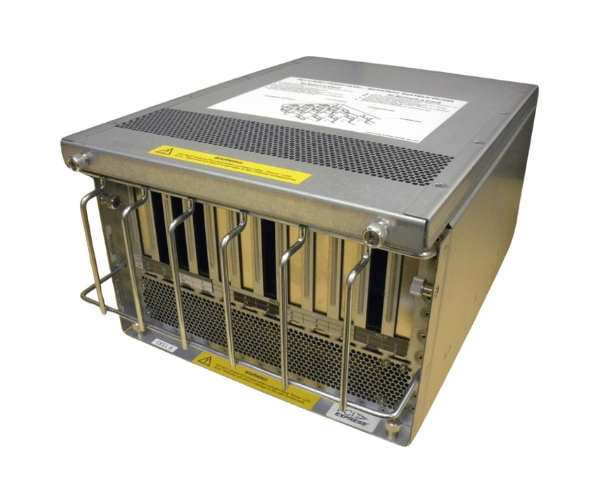
HP AB405A 12-Slot PCIe PCI-X Combo Cage for Superdome sx2000
The
HP AB405A 12-Slot PCIe PCI-X Combo Cage is a high-performance expansion solution designed to enhance the connectivity and scalability of your HP Superdome sx2000 server. This combo cage offers 12 slots, allowing for a mix of PCIe and PCI-X cards, making it ideal for enterprises requiring advanced data processing capabilities.
User Experience
Users of the
HP AB405A 12Slot PCIe PCI-X Combo Cage for Superdome sx2000 have consistently praised its versatility and reliability. This combo cage allows enterprises to expand their server’s capabilities by adding a mix of PCIe and PCI-X cards, providing the flexibility needed to support diverse workloads. Users appreciate the easy installation process, which seamlessly integrates with the existing Superdome sx2000 server infrastructure. The robust construction ensures long-term durability, even in demanding environments, while the integrated cooling system maintains optimal performance by preventing overheating. Overall, the
HP AB405A 12-Slot PCIe PCI-X Combo Cages for Superdome sx2000 is highly valued for its ability to enhance server functionality and support high-performance computing tasks.
Why Choose the HP AB405A 12Slot PCIe PCI-X Combo Cage for Superdome sx2000?
The
HP AB405A 12Slot PCIe PCI-X Combo Cage for Superdome sx2000 is the ideal choice for enterprises looking to expand and future-proof their server infrastructure. This combo cage provides 12 slots, offering a mix of PCIe and PCI-X interfaces, which allows for maximum flexibility in card selection. Whether you need to add high-speed networking cards, storage controllers, or other specialized cards, this combo cage can accommodate your needs. Its compatibility with the HP Superdome sx2000 server ensures seamless integration, while the durable construction and effective cooling system guarantee reliable performance. The
HP AB405A 12-Slot PCIe PCI-X Combo Cages for Superdome sx2000 is a crucial upgrade for businesses aiming to enhance their server's processing power and connectivity.
Installation Steps
To install the
HP AB40 5A 12-Slot PCIe PCI-X Combo Cage, follow these steps:
- Preparation: Power down your HP Superdome sx2000 server and disconnect it from all power sources.
- Access the Chassis: Open the server’s chassis to access the slot bay area.
- Install the Combo Cage: Carefully align the combo cage with the designated slots inside the server chassis and securely fasten it in place using the provided screws.
- Insert Expansion Cards: Insert the PCIe and PCI-X cards into the slots, ensuring they are properly seated and connected.
- Reconnect Power: Reassemble the server chassis and reconnect the power supply.
- Power On and Verify: Power on the server and check the BIOS or operating system to ensure the new expansion cards are recognized and functioning correctly.