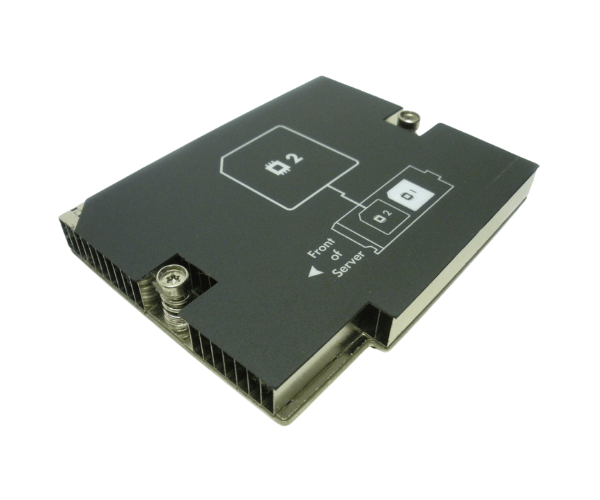
HP 672720-001 Heat Sink for CPU #2 in BL465c Gen8
The HP 672720-001 BL465c Gen8 Heat Sink for CPU #2 is designed to offer superior cooling for the CPU #2 in HP’s BL465c Gen8 servers. This high-efficiency heat sink is essential for maintaining optimal temperatures, ensuring your server runs smoothly and reliably during intensive workloads.
User Experience
Users report that the HP 672720-001 BL465c Gen8 Heat Sink performs exceptionally well, providing reliable and efficient cooling. Its easy installation and effective heat management help in maintaining the server’s performance and preventing overheating issues. This heat sink is a trusted choice for enhancing server stability.
Why Choose The HP 672720-001 BL465c Gen8 Heat Sink?
The
HP 672720-001 BL465c Gen8 Heat Sink is specifically engineered for the HP BL465c Gen8 server, offering tailored cooling solutions . By selecting this heat sink, you ensure that your server benefits from optimal heat dissipation, reducing the risk of thermal throttling and system instability.
Key Features
- Engineered for HP BL465c Gen8: Precisely fits CPU #2 in HP BL465c Gen8 servers.
- Durable Construction: Made from high-quality aluminum and copper for effective cooling.
- Efficient Heat Dissipation: Maintains optimal CPU temperatures to prevent overheating.
- Simple Installation: Clip-on design for quick and secure setup.
- Consistent Performance: Helps ensure reliable server operation under heavy loads.
Installation Steps
- Power Down the Server: Shut down the server and disconnect it from the power source.
- Open the server case: Remove the server cover or access panel to reach the CPU area.
- Locate CPU #2: Identify the CPU #2 slot where the HP 672720-001 Heat Sink will be installed.
- Remove Old Heat Sink: If an old heat sink is present, carefully detach it from the CPU.
- Prepare New Heat Sinks: Align the HP 672720-001 BL465c Gen8 HeatSink with CPU #2.
- Install the Heat Sink: Clip the new heat sink securely onto CPU #2.
- Reassemble the Server: Replace the server cover or access panel.
- Reconnect Power: The Plug the server back into the power source and turn it on.
- Verify Installation: Check that the heat sink is properly installed and monitor CPU temperatures to ensure effective cooling.