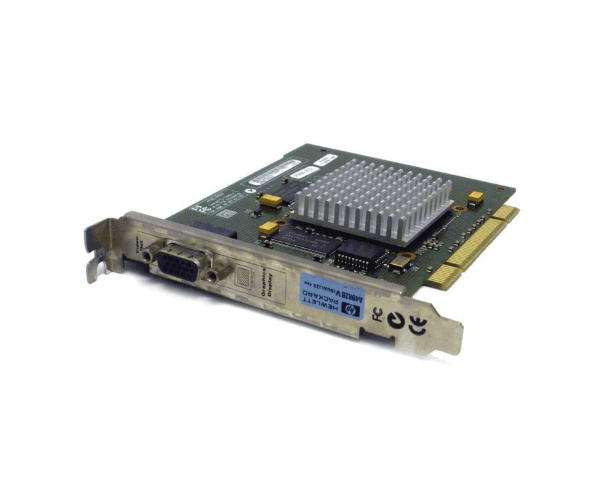
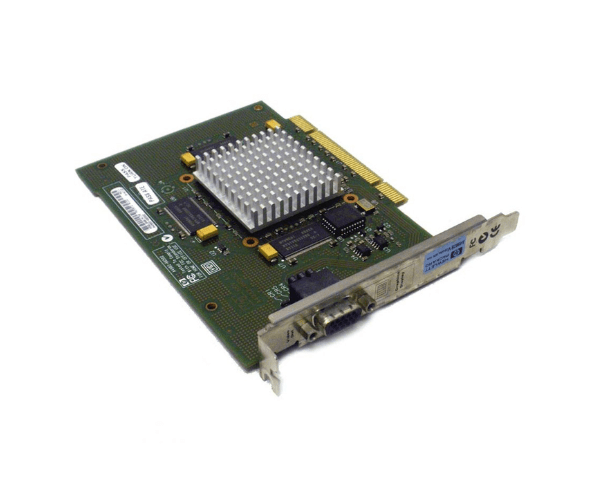
HP A4982B A4982-66502 Visualize FXE Rev B PCI Graphics Adapter
The HP A4982B A4982-66502 Visualize FXE Rev B PCI Graphics Adapter is a powerful graphics card designed to enhance visual performance for HP workstations. Offering robust graphics capabilities and reliable performance, this adapter is ideal for professional environments requiring high-quality graphics and smooth visual rendering.
User Experience
Users of theHP Visualize FXE Rev B Graphics Adapter report a significant improvement in graphics performance, making it a popular choice for workstations involved in graphic design, 3D modeling, and other visual-intensive applications. The adapter's installation is straightforward, and its compatibility with various operating systems ensures seamless integration with existing setups.
Why Choose the HP Visualize FXE Rev B Graphics Adapter Adapter?
The
HP A4982B A4982-66502 Visualize FXE Rev B PCI Graphics Adapter is an excellent choice for enhancing your workstation’s graphical capabilities. Its robust 3D graphics engine and 8MB VRAM ensure smooth and high-quality visual rendering, making it suitable for demanding graphic applications. The adapter supports high resolutions and integrates easily with HP workstations, delivering reliable performance and improved visual clarity for professional tasks.
Key Features
- High-Performance Graphics: Equipped with a 3D graphics engine and 8MB VRAM, delivering enhanced visual performance.
- Resolution Support: Capable of supporting resolutions up to 1600 x 1200, providing clear and detailed images.
- Dual Ports: Features one VGA and one DVI port, allowing for versatile connectivity options.
- Compatibility: Designed to work seamlessly with HP workstations and supports multiple operating systems.
- Ease of Integration: Simple installation process and reliable performance enhance workstation graphics with minimal setup.
Installation Steps
- Power Down: Ensure the workstation is powered off and disconnected from any power source before starting the installation.
- Open Workstation Chassis: Remove the cover of the workstation to access the PCI slots.
- Insert Graphics Adapter: Carefully insert the HP Visualize FXE Rev B Graphics Adapter into an available PCI slot.
- Secure Adapter: Make sure the adapter is securely seated and fasten it using the provided screws or locking mechanisms.
- Close Chassis: Replace and secure the workstation cover.
- Power On: Reconnect the workstation to the power source and turn it on.
- Install Drivers: Install the necessary drivers for the HP Visualize FXE Rev B Graphics Adapter, available from the HP support website.
- Configure Settings: Use graphics management tools to configure display settings according to your needs.
- Verify Operation: Check the display settings and ensure the adapter is functioning correctly and providing the desired visual performance.