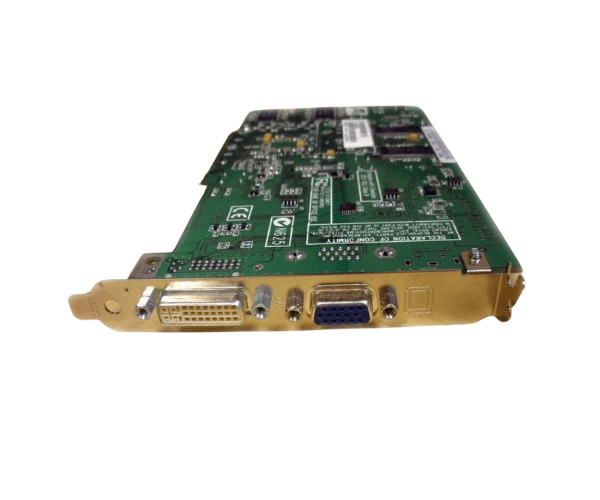
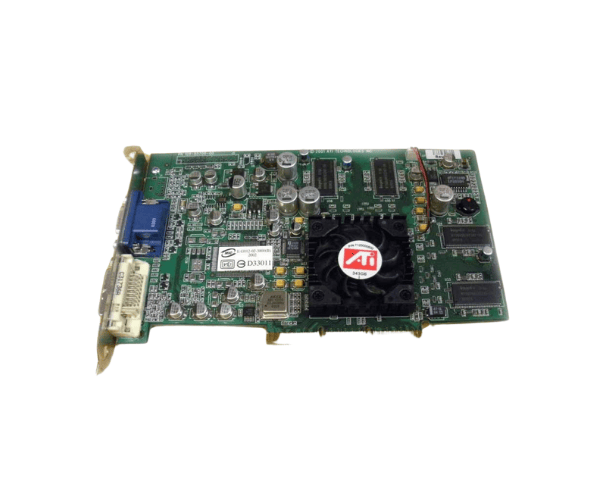
Introduction of Dell 4Y905 ATI FireGL R200 64MB AGP Graphics Card
The
Dell 4Y905 ATI FireGL R200 64MB AGP Graphics Card delivers high-quality graphics performance for professional applications. Whether you work with 3D modeling, graphic design, or video editing, this graphics card offers the dependable performance and efficiency necessary to boost your workflow. Its advanced features and compatibility make it a top choice for users who seek optimal visual performance.
Why Choose Dell 4Y905 ATI FireGL R200 64MB AGP Graphics Card?
The
Dell ATI FireGL R200 64MB AGP Graphics Card stands out due to its robust graphics capabilities and support for professional applications. It is specifically tailored to fulfill the requirements of creative professionals. By choosing this product, you ensure high-quality visuals, reliable performance, and compatibility with a wide range of software, making it an essential tool for any workstation.
User Experience
Users of the
Dell 4Y905 ATI FireGL R200 consistently praise its exceptional performance in demanding applications. Many experience improved graphics rendering and faster processing times, which significantly boost their productivity. They also appreciate the card’s ease of installation and reliable operation, offering peace of mind for those working on critical projects.
Detailed Breakdown of Features
- High-Quality Graphics Performance: The Dell ATI FireGL R200 ensures stunning visuals for graphic-intensive applications, making it ideal for designers and engineers.
- 64MB Memory: This memory capacity is sufficient for managing various business applications smoothly.
- AGP Interface: The AGP interface allows for high-speed data transfer, ensuring efficient performance.
- High Maximum Resolution: With support for a maximum resolution of 2048 x 1536, users can enjoy crisp, detailed images.
- OpenGL Support: Compatible with OpenGL, the card can run a variety of professional applications effectively.
- Low Power Consumption: The Dell 4Y905 operates efficiently, which helps lower operational costs.
- Passive Cooling System: This card runs quietly without fans, making it ideal for noise-sensitive environments.
- Reliability: The card's durable design ensures consistent performance in demanding settings.
- Versatile Usage: Ideal for a range of applications, including CAD, 3D modeling, and graphic design.
- Compact Size: Fits easily into various desktop setups, making it a versatile option for many users.
Installation Steps
- Gather Your Tools: Get a screwdriver and clear a workspace to start your installation.
- Power Off the Computer: Ensure your computer is completely turned off and unplugged from the power source.
- Open the Computer Case: Use a screwdriver to remove the screws securing the side panel of your desktop case, and slide the panel off.
- Locate the AGP Slot: Identify an available AGP slot on your motherboard.
- Insert the Graphics Card: Align the Dell ATI R200 with the AGP slot and press down firmly until it clicks into place.
- Secure the Card: Use screws to secure the card to the case.
- Close the Case: Reattach the side panel securely.
- Reconnect Power Supply: Plug in the power cables and connect your computer back to the power source.
- Turn On Your Computer: Power on your computer and ensure the card is detected by the system.
Where It Can Be Used?
The
Dell ATI R200 64MB AGP Graphics Card is suitable for various environments, including:
- Workstations for graphic design and multimedia production.
- CAD applications for architects and engineers.
- 3D modeling and animation projects.
- Any professional setting requiring reliable visual performance.