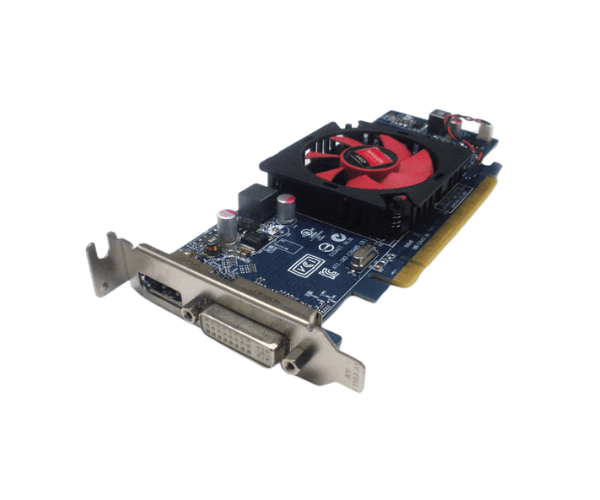
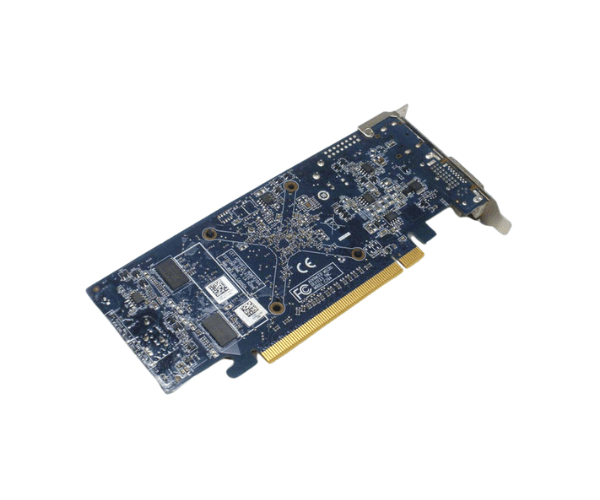
Introduction of Dell 2FVV6 ATI Radeon HD 7470 Graphics Card
The Dell 2FVV6 ATI Radeon HD 7470 Graphics Card enhances visual performance for users who need a reliable graphics solution. This graphics card is ideal for both casual gamers and professionals who require robust graphics capabilities for tasks such as video editing, graphic design, and gaming. With its advanced features and reliable performance, the Dell 2FVV6 provides an excellent upgrade for systems needing improved graphics rendering.
Why Choose the Dell 2FVV6 ATI Radeon HD 7470 Graphics Card?
Choosing the
Dell ATI Radeon HD 7470 Graphics Card means investing in a graphics solution that meets the needs of both productivity and entertainment. With its ability to handle high-definition content and support for multiple monitors, this graphics card is a perfect fit for users who demand quality and efficiency. Whether you’re working on design projects or playing games, the Dell 2FVV6 ensures you get the best possible performance.
User Experience
Users of the
Dell 2FVV6 HD 7470 Graphics Card often report a noticeable improvement in graphics quality compared to integrated solutions. The enhanced frame rates in gaming scenarios and smoother video playback in editing applications make it a popular choice among enthusiasts. Many appreciate the card’s easy installation process and solid build quality, which ensures reliable performance over time.
Detailed Breakdown of Features
- High-Quality Graphics: The ATI Radeon HD 7470 delivers sharp visuals and rich colors, enhancing your viewing experience.
- 1GB GDDR5 Memory: This dedicated memory ensures smooth performance, especially when running graphic-intensive applications.
- Multiple Display Support: Capable of supporting up to two monitors, the Dell 2FVV6 allows for an expansive workspace, perfect for multitasking.
- Active Cooling System: The efficient cooling solution keeps the graphics card at optimal temperatures, preventing overheating during extended use.
- DirectX 11 Support: Enjoy improved performance in compatible games and applications with advanced graphical features.
- OpenGL 4.2 Support: Ideal for professional applications that rely on OpenGL for rendering graphics.
- Low Profile Design: Fits easily into smaller systems without sacrificing performance, making it suitable for compact builds.
- Easy Installation: The graphics card comes with a straightforward installation process, allowing users to upgrade their systems quickly.
- Durable Construction: Built with quality components, the Dell 2FVV6 is designed for longevity and reliable performance.
- Versatile Usage: Perfect for gaming, graphic design, and everyday computing tasks, making it a versatile choice for any user.
Installation Steps
- Prepare Your System: Power off your computer. Disconnect it from the power source to prevent any damage.
- Open the Case: Remove the screws from the side panel. Slide it off to access the internal components.
- Locate the PCI Express Slot: Find an available PCI Express slot on your motherboard. This is where you will insert the Dell Graphics Card.
- Insert the Graphics Card: Align the card with the PCI Express slot. Apply steady pressure until it fits securely. Make sure it sits securely.
- Secure the Card: Use screws to fasten the graphics card to the case. This keeps it stable during use.
- Connect Power Cables (if necessary): If the card needs extra power, connect the required power cables from the power supply.
- Close the Case: Replace the side panel. Secure it with screws to ensure everything is properly enclosed.
- Power On the System: Reconnect your computer to the power source. Turn it on.
- Install Drivers: After the system boots up, install the necessary drivers. This guarantees the best performance and compatibility with your operating system.
Where It Can Be Used?
The
Dell ATI Radeon HD 7470 Graphics Card can be used in various settings, including:
- Gaming: Provides improved frame rates and graphics quality for casual gaming.
- Graphic Design: Ideal for applications like Adobe Creative Suite, where color accuracy and performance are critical.
- Video Editing: Enhances rendering times and playback quality in video editing software.
- Office Productivity: Supports multiple monitors, making it perfect for professionals who multitask.
- Home Theater PCs: Great for streaming high-definition content and managing multiple video outputs.