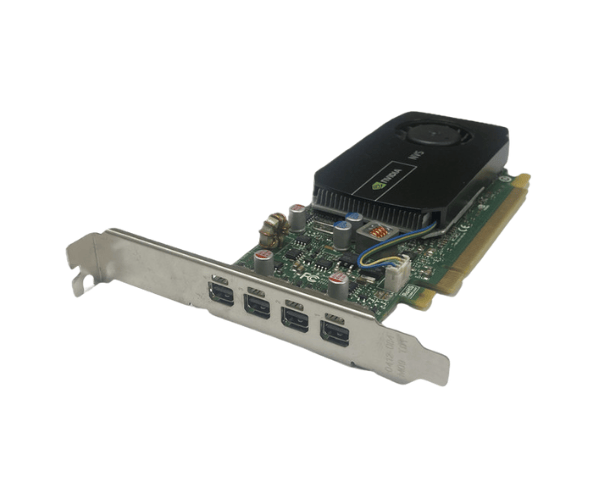
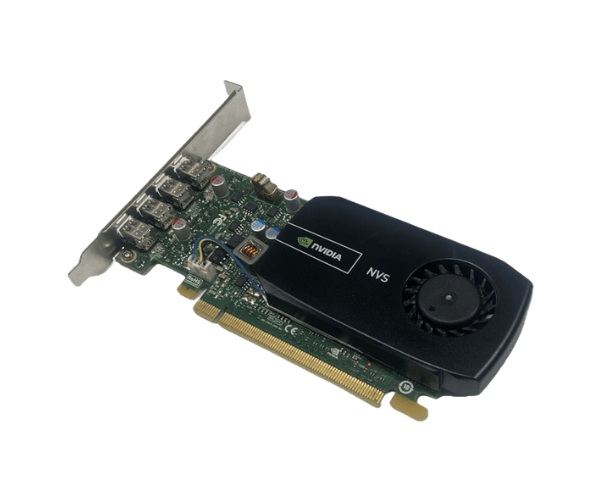
Introduction of Dell G5Y6D NVIDIA NVS 510 2GB Graphics Card
The
Dell G5Y6D NVIDIA NVS 510 2GB Graphics Card is engineered for professionals who demand exceptional performance and reliability. This graphics card is designed specifically for workstations, making it ideal for tasks that require advanced graphics processing. With its dual-display capability, this card enhances productivity by allowing users to extend their workspace across multiple monitors.
Why Opt the Dell G5Y6D NVIDIA NVS 510 2GB Graphics Card?
Choosing the
Dell G5Y6D NVIDIA 510 2GB Graphics Card ensures you have a powerful tool at your disposal for graphics-intensive applications. Its reliability and efficiency make it an excellent choice for graphic designers, architects, and professionals in fields that require high-quality visual output. With its robust performance and excellent compatibility with various software applications, this graphics card stands out among its peers.
User Experience
Users appreciate the
Dell G5Y6D NVS 510 2GB Graphics Card for its stability and superior performance. The card’s dual-monitor support allows for seamless multitasking, which enhances productivity. Many users report smoother graphics performance during rendering tasks and improved overall system responsiveness. Furthermore, its low-profile design fits easily into various workstation setups without compromising performance.
Detailed Breakdown of Features
- High-Quality Graphics: The NVS 510 provides excellent image quality and rendering capabilities, perfect for professional applications.
- Dual-Monitor Support: Supports up to four displays, allowing for extensive workspace and improved workflow.
- Low Profile Design: Ideal for compact workstations, ensuring compatibility with various system cases.
- Efficient Power Consumption: Designed to deliver powerful performance while maintaining low power usage.
- Reliable Performance: Engineered to run smoothly under demanding workloads, minimizing downtime and enhancing productivity.
- Multiple Application Support: Compatible with various software, including CAD, DCC, and office applications.
- User-Friendly Installation: Easy to install, making it accessible for users of all skill levels.
- Durability: Built with high-quality components to ensure longevity and consistent performance.
- Solid Build Quality: Designed to withstand rigorous use in professional environments.
- Enhanced Cooling: Passive cooling solution to maintain low temperatures, ensuring quiet operation.
Installation Steps
- Prepare Your Workstation: Before you begin, ensure your workstation is powered off and unplugged from the electrical outlet.
- Open the Case: Remove the screws securing the side panel and slide it off to access the internal components.
- Locate the PCI Express Slot: Identify an available PCI Express slot on your motherboard.
- Insert the Graphics Card: Align the Dell Graphics Card with the PCI Express slot. Firmly press down until the card clicks into place.
- Secure the Card: Use screws to secure the graphics card to the case for stability.
- Connect Power Cables (if applicable): If your card requires additional power, connect the appropriate power cables.
- Close the Case: Replace the side panel and secure it with screws.
- Power On the System: Plug the workstation back in and power it on.
- Install Drivers: Once your system boots up, install the necessary drivers for the graphics card to function optimally.
Where It Can Be Used?
The
Dell NVIDIA NVS 510 2GB Graphics Card is perfect for various professional environments, including:
- Graphic Design: Ideal for software such as Adobe Creative Suite.
- Architectural Rendering: Excellent for CAD applications, enhancing design visualizations.
- Financial Modeling: Useful for applications that require extensive data visualization and analysis.
- Office Productivity: Supports multiple monitors, making it great for office setups that require multitasking.
- Video Editing: Works well with video editing software for smoother playback and rendering.