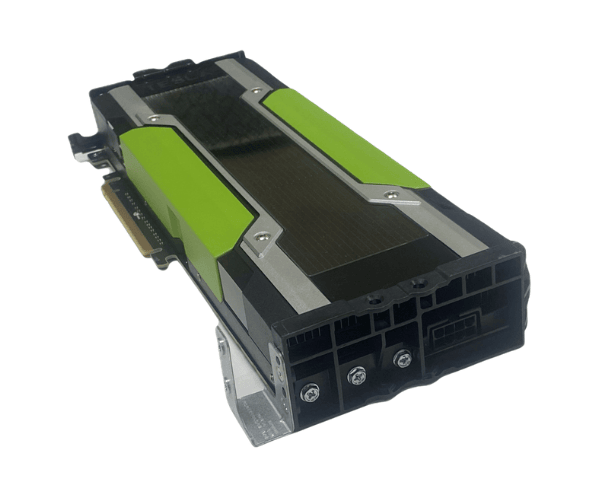
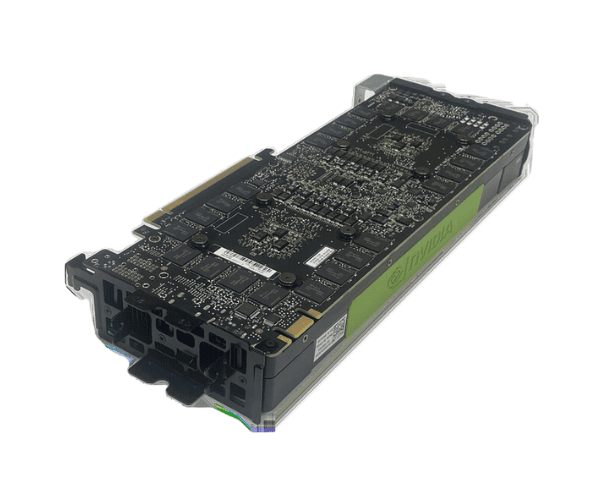
Overview of Dell HHCJ6 NVIDIA Tesla K80 24GB Kepler GDDR5 PCI-e GPU
The
Dell HHCJ6 NVIDIA Tesla K80 24GB Kepler GDDR5 PCI-e GPU is a powerful graphics processing unit designed for high-performance computing and data-intensive tasks. With its advanced architecture and massive memory, this GPU is ideal for applications that require exceptional graphics processing capabilities, such as scientific simulations, deep learning, and big data analytics. Whether you are in research, engineering, or artificial intelligence, the
Dell HHCJ6 delivers the performance you need to accelerate your projects.
Why Choose the Dell HHCJ6 NVIDIA Tesla K80 24GB Kepler GDDR5 PCI-e GPU?
Opting for the
Dell Tesla K80 24GB Kepler GDDR5 PCI-e GPU means choosing reliability and performance. This GPU is built for heavy workloads, allowing you to handle complex calculations and simulations with ease. Its large memory size and high bandwidth ensure smooth performance, making it perfect for data-intensive applications. By integrating the
Dell HHCJ6 into your system, you enhance your computing capabilities significantly, enabling faster results and improved productivity.
User Experience
Users of the
Dell HHCJ6 report outstanding performance improvements in their computing tasks. The installation process is straightforward, allowing users to integrate this GPU into their systems quickly. Once set up, it operates quietly and efficiently, providing reliable graphics rendering and accelerated processing speeds. Many users praise its ability to manage large datasets and complex algorithms without lag, making it a favorite among professionals in various fields.
Detailed Breakdown of Features
- High Memory Capacity: With 24GB of GDDR5 memory, the Dell HHCJ6 handles large datasets and complex models effortlessly.
- Kepler Architecture: This GPU utilizes NVIDIA’s Kepler architecture, offering advanced performance and efficiency.
- Massive CUDA Cores: Equipped with 2496 CUDA cores, the Dell HHCJ6 excels in parallel processing tasks.
- High Memory Bandwidth: Achieving 480 GB/s, it allows for fast data transfer and processing.
- Dual-slot Form Factor: Its design ensures compatibility with various systems while providing sufficient cooling.
- Energy Efficiency: With a TDP of 300W, it balances performance with energy consumption.
- Versatile Applications: Ideal for deep learning, scientific simulations, and high-performance computing tasks.
- Stable Performance: Designed for continuous operation, the Dell HHCJ6 ensures reliability during long computing sessions.
- Easy Integration: PCI-e interface simplifies installation, making it user-friendly for both novices and experts.
- Robust Software Support: Compatible with major deep learning frameworks and scientific computing software.
Installation Steps
- Prepare the System: Ensure your system is powered off and unplugged to avoid any electrical hazards.
- Open the Case: Remove the screws from the side panel of your computer case and carefully slide it off.
- Locate the PCI-e Slot: Find an available PCI-e slot on your motherboard suitable for the Dell HHCJ6.
- Install the GPU: Position the GPU above the PCI-e slot and gently press down until it fits securely in place.
- Connect Power Cables: Attach the necessary power connectors from your power supply to the GPU to ensure it receives adequate power.
- Secure the Case: Reattach the side panel and fasten it with screws to ensure it is securely closed.
- Power On the System: Plug in your system and power it on. Check the GPU functionality through the system settings or software.
Where It Can Be Used?
The
Dell NVIDIA Tesla K80 is ideal for a range of applications:
- Data Centers: Suitable for high-performance computing in data centers handling massive workloads.
- Research Institutions: Perfect for scientific research requiring extensive simulations and calculations.
- Machine Learning: Optimized for training complex machine learning models efficiently.
- Graphics Rendering: Useful in environments where detailed graphics rendering is crucial, such as design and animation.