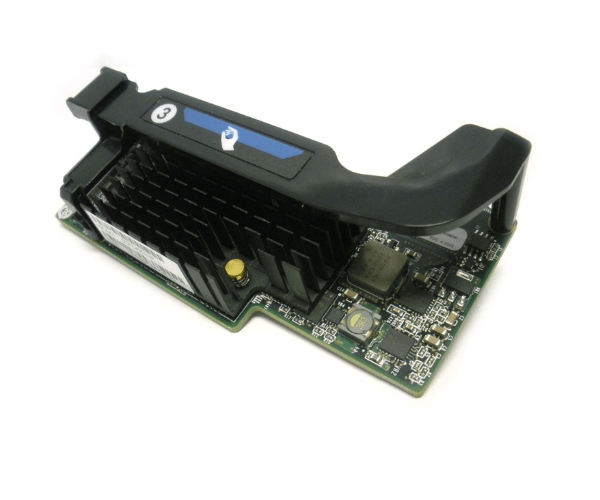
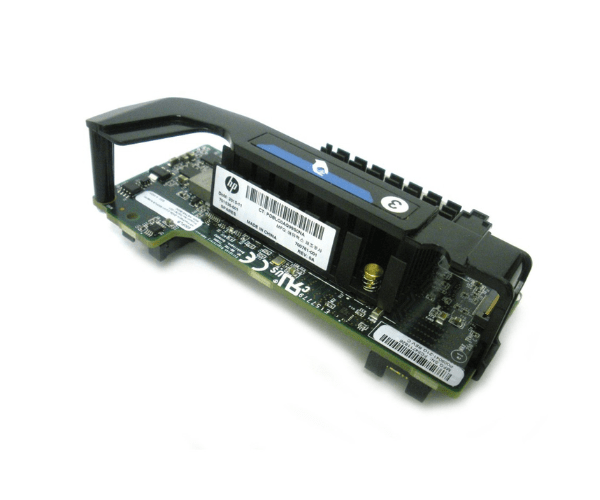
HP 700764-B21 701536-001 FlexFabric 20Gb 2-Port 650FLB FIO Adapter
The HP 700764-B21 701536-001 FlexFabric 20Gb 2-Port 650FLB FIO Adapter is designed to provide high-speed connectivity and efficient data handling for enterprise servers. With dual 20Gb ports, this adapter ensures superior network performance and reliability, making it an ideal choice for modern data centers.
User Experience
Users of the HP 650FLB 20Gb FIO Adapter appreciate its high-speed connectivity and reliability. The dual-port configuration allows for efficient data transfer and network redundancy, ensuring minimal downtime. Installation is straightforward, and the adapter seamlessly integrates with HP ProLiant servers, providing enhanced performance and stability in demanding environments.
Why Choose the HP 700764-B21 701536-001 FlexFabric 20Gb 2Port 650FLB FIO Adapter?
The
HP 650FLB 20Gb FIO Adapter is an excellent choice for enterprises looking to improve network performance and reliability. With its dual 20Gb ports, this adapter provides high-speed connectivity and efficient data handling, making it ideal for modern data centers. The adapter's compatibility with HP ProLiant servers ensures seamless integration and enhanced performance.
Key Features
- High-Speed Connectivity: Dual 20Gb ports for superior network performance.
- Efficient Data Handling: Optimized for high-speed data transfer and network redundancy.
- Seamless Integration: Compatible with HP ProLiant servers for easy installation.
- Reliable Performance: Ensures stable and efficient operation in demanding environments.
- Flexible Form Factor: FlexibleLOM design for versatile deployment options.
Installation Steps
- Power Down the Server: Ensure the HP ProLiant server is powered off before beginning installation.
- Open the Server Chassis: Carefully open the server chassis to access the FlexibleLOM slots.
- Insert the Adapter: Locate an available FlexibleLOM slot and insert the HP 650FLB 20Gb FIO Adapter.
- Secure the Adapter: Ensure the adapter is properly seated and secured in the slot.
- Close the Chassis: Reattach the server chassis cover and reconnect any cables that were previously disconnected.
- Power Up and Configure: Turn on the server and configure the adapter settings using the management software or operating system tools.
- Verify Installation: Check that the HP 700764-B21 701536-001 adapter is recognized and functioning correctly in the system.