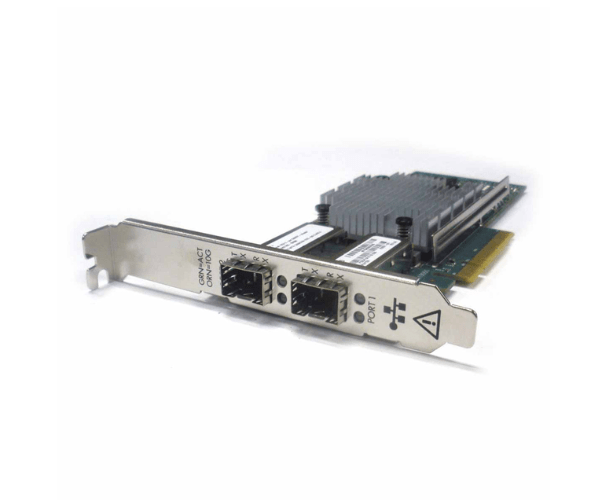
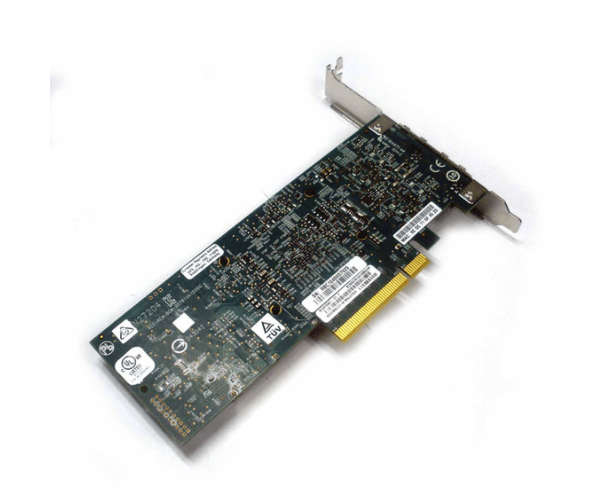
HP 656244-001 Ethernet 10GB 2-Port 530SFP+ Adapter
The HP 656244-001 Ethernet 10GB 2-Port 530SFP+ Adapter provides high-speed networking for your servers, delivering enhanced data transfer rates and reliable connectivity. This adapter is perfect for businesses needing efficient, robust, and scalable network solutions to support their growing data demands.
User Experience
Users of the HP 656244-001 10GB 2-Port Adapter report significant improvements in network speed and reliability. The adapter's seamless integration with HP servers ensures easy installation and compatibility. Its high data transfer rates and low latency make it ideal for demanding network applications, providing a smooth and efficient user experience.
Why Choose HP 656244-001 10GB 2-Port Adapter?
Choosing the
HP 656244-001 Ethernet 10GB 2-Port 530SFP+ Adapter ensures your server benefits from top-tier network performance. Its 10Gbps speed supports high-volume data transfers, reducing network bottlenecks. The adapter’s compatibility with HP servers guarantees optimal performance and easy setup. Additionally, its energy-efficient design helps minimize operational costs, making it a smart investment for businesses.
Key Features
- Dual 10Gb Ports: Provides high-speed data transfer and robust connectivity.
- 530SFP+ Interface: Ensures seamless integration with HP servers.
- High Compatibility: Specifically designed for HP servers, ensuring easy installation.
- Low Power Consumption: Reduces operational costs with energy-efficient performance.
- Reliable Performance: Handles high data loads with minimal latency, ideal for demanding applications.
Installation Steps
- Power Down the Server: Ensure the server is completely powered off before starting the installation.
- Open the Server Case: Carefully remove the server casing to access internal components.
- Locate the Expansion Slot: Identify the appropriate slot for the adapter card.
- Insert the Adapter Card: Gently insert the HP 656244-001 10GB 2-Port Adapter into the expansion slot.
- Secure the Card: Ensure the card is securely fastened within the slot.
- Close the Server Case: Reattach the server casing securely.
- Power Up the Server: Turn on the server and check for the system’s recognition of the card.
- Install Drivers: Install any necessary drivers or firmware updates to ensure optimal performance.
- Configure Network Settings: Adjust network settings as required to fully utilize the adapter’s capabilities.