The
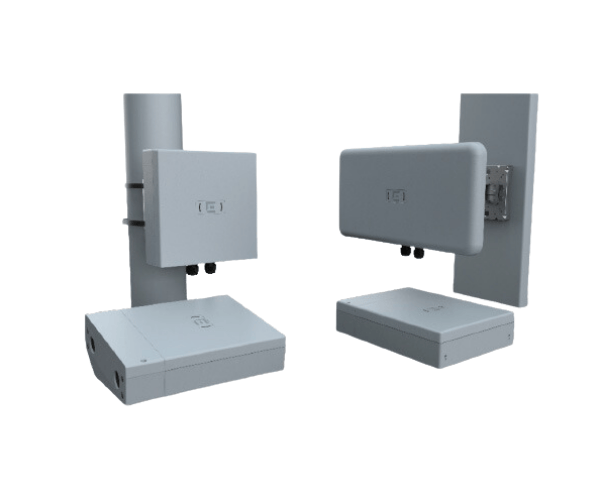
Extreme Universal AP5050U/D APs Outdoor Access Point provides high-performance wireless connectivity for outdoor environments. With advanced features, it delivers reliable, fast, and secure Wi-Fi connections, ensuring seamless coverage even in challenging outdoor conditions.
Specification
| Feature |
Specification |
| Brand |
Extreme Universal |
| Model |
AP5050U/D APs |
| Wi-Fi Standard |
IEEE 802.11a/b/g/n/ac |
| Frequency Bands |
2.4 GHz, 5 GHz |
| Max Data Rate |
1.75 Gbps |
| Ethernet Ports |
1 x 10/100/1000 Ethernet Port |
| Security |
WPA2, WPA3 |
| Dimensions (L x W x H) |
10.0 x 10.0 x 2.2 inches |
| Power over Ethernet (PoE) |
Yes |
| Mounting Type |
Wall or Pole Mount |
| Operating Temperature |
-40°F to 158°F (-40°C to 70°C) |
Extreme Universal AP5050U/D APs Outdoor Access Point in BD
The
Extreme Universal AP5050U/D APs Access Point is designed to provide seamless, high-speed Wi-Fi coverage in outdoor spaces. Ideal for large outdoor venues, parks, and campuses, the AP5050U/D offers dual-band Wi-Fi, reliable performance, and robust security features to handle all your outdoor connectivity needs. With weatherproof housing, it ensures durability in various environmental conditions.
User Experience
The
Extreme AP5050U/D APs Outdoor Access Point delivers a premium outdoor Wi-Fi experience. Whether for a large outdoor event, a business campus, or a park, users can count on fast, uninterrupted connections. The device provides consistent performance across its dual-band frequencies, ensuring no matter the environment, your devices stay connected. The AP5050U/D’s weatherproof design makes it a reliable choice for year-round outdoor usage. Additionally, its easy installation process, along with powerful management tools, offers a smooth user experience and hassle-free network setup.
Why Choose the Extreme Universal AP-5050U/D APs Outdoor Access Point?
Choosing the
Extreme Universal AP-5050U/D APs Outdoor Access Point means you get superior outdoor Wi-Fi performance with the reliability and security features you need. Whether you're providing coverage for an outdoor event, an industrial facility, or a campus, the AP5050U/D is built to perform in tough outdoor conditions. Its durable, weatherproof design, along with easy installation and management, ensures long-term reliability and a top-tier user experience. With dual-band support and high-speed data rates, this access point ensures reliable connectivity even in expansive outdoor areas.
Installation Steps
- Unbox and Inspect: Unbox the Extreme AP5050U/D APs Access Point and check all components, including the power adapter and Ethernet cable.
- Choose a Mounting Location: Select an outdoor location that provides optimal coverage and is safe from extreme weather. Mount the device on a wall or pole.
- Mount the Device: Attach the access point securely using the provided mounting kit.
- Connect to Power: Plug the power adapter into the AP5050U/D and connect it to a power outlet or PoE injector.
- Connect Ethernet Cable: Use an Ethernet cable to connect the AP5050U/D to your network router or switch.
- Configure the Device: Access the device’s management interface via your web browser or mobile app, then follow the setup instructions to configure your network settings.
- Test Connection: After configuration, test the Wi-Fi connection by connecting a device to the network.