The
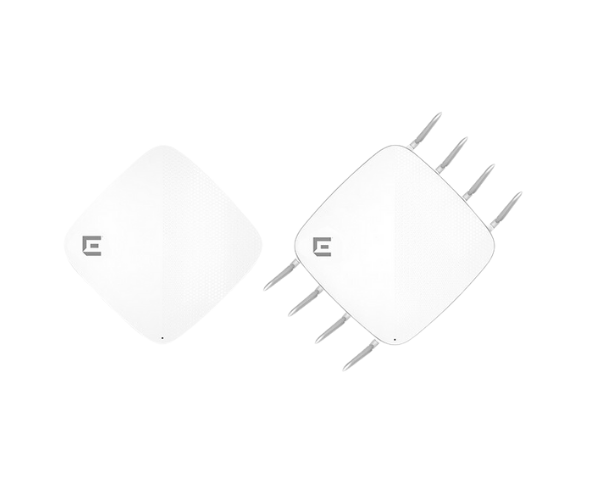
Extreme AP510C/CX Series Access Point delivers cutting-edge Wi-Fi 6 performance for indoor environments. Designed for high-density applications, it ensures fast, secure, and reliable wireless connectivity, making it ideal for enterprises, campuses, and public venues.
Specification
| Feature |
Specification |
| Brand |
Extreme Networks |
| Model |
AP510C/CX Series Access Point |
| Wi-Fi Standard |
IEEE 802.11a/b/g/n/ac/ax |
| Frequency Bands |
2.4 GHz, 5 GHz |
| Max Data Rate |
4.8 Gbps |
| Ethernet Ports |
1 x 10/100/1000 Ethernet Port |
| Security |
WPA2, WPA3 |
| Dimensions (L x W x H) |
8.3 x 8.3 x 2.1 inches |
| Power over Ethernet (PoE) |
Yes |
| Mounting Type |
Ceiling or Wall Mount |
| Operating Temperature |
32°F to 122°F (0°C to 50°C) |
Extreme AP-510C/CX Series Access point in BD
The
Extreme AP510C/CX Access Point is a top-tier solution for indoor wireless connectivity. With Wi-Fi 6 technology, it provides enhanced speed, capacity, and efficiency, meeting the demands of modern enterprises and high-traffic environments. Its sleek design integrates seamlessly into any indoor setting.
User Experience
The
Extreme AP510C/CX Access Point ensures an exceptional user experience with robust and high-speed connectivity. Powered by Wi-Fi 6, it accommodates multiple devices simultaneously, reducing latency and improving overall network efficiency. Whether deployed in office spaces, educational institutions, or public venues, the AP510C/CX delivers consistent and secure connectivity. Its compact and flexible design simplifies installation, and the user-friendly management tools make deployment and network monitoring hassle-free. Advanced security features protect against cyber threats, ensuring a safe and reliable wireless experience.
Why Choose the Extreme AP510C/CX Series Access Point?
The
Extreme AP510C/CX Series Access Point stands out as an ideal choice for modern indoor wireless networks. Leveraging Wi-Fi 6 technology, it offers faster speeds, greater capacity, and improved device management for high-density environments. Its slim and compact design enables simple installation in a variety of indoor environments. With advanced security features and intuitive management tools, it delivers a secure and scalable wireless solution. Perfect for enterprises, campuses, and public spaces, the AP510C/CX ensures reliable, high-performance connectivity tailored to your needs.
Installation Steps
- Unbox and Inspect: Carefully unpack the Extreme AP510C/CX Series Access Point and verify all components are included.
- Choose Installation Location: Identify a suitable ceiling or wall location for optimal coverage.
- Mount the Device: Use the mounting kit provided to secure the AP510C/CX in place.
- Connect to Power: Power the device using Power over Ethernet (PoE) or an external power adapter.
- Connect Ethernet Cable: Attach an Ethernet cable to link the AP510C/CX to your router or network switch.
- Configure the Device: Access the management interface via a web browser or app and set up the device.
- Test the Network: Connect devices to the network and verify performance to ensure proper functionality.