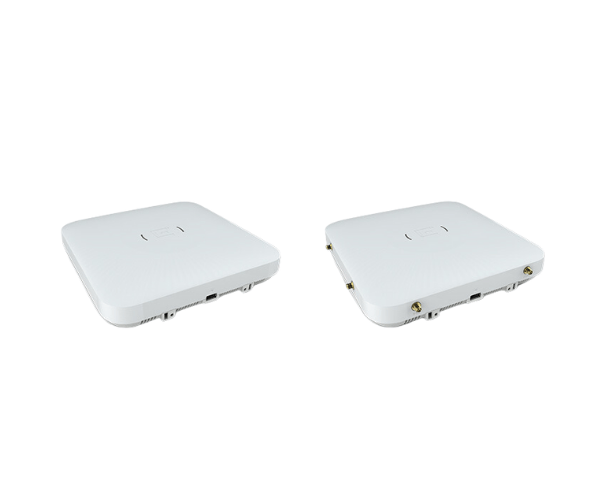
The
Extreme Networks AP510i/e Indoor Access Point delivers high-performance Wi-Fi connectivity for indoor environments. With Wi-Fi 6 support, it ensures reliable, fast, and secure wireless coverage in high-density areas, providing seamless connectivity for offices, campuses, and other commercial spaces.
Specification
| Feature |
Specification |
| Brand |
Extreme Networks |
| Model |
AP510i/e Indoor Access Point |
| Wi-Fi Standard |
IEEE 802.11a/b/g/n/ac/ax |
| Frequency Bands |
2.4 GHz, 5 GHz |
| Max Data Rate |
4.8 Gbps |
| Ethernet Ports |
1 x 10/100/1000 Ethernet Port |
| Security |
WPA2, WPA3 |
| Dimensions (L x W x H) |
7.3 x 7.3 x 1.5 inches |
| Power over Ethernet (PoE) |
Yes |
| Mounting Type |
Ceiling or Wall Mount |
| Operating Temperature |
32°F to 104°F (0°C to 40°C) |
Extreme Network AP510i/e Indoor Access Point in BD
The
Extreme Network AP510i/e Indoor Access Point is designed to provide fast and reliable Wi-Fi coverage for high-density indoor environments. Supporting Wi-Fi 6 technology, the AP510i/e delivers high-speed, efficient, and secure wireless performance, ideal for businesses, schools, and large venues. Whether you are managing a high-traffic office or a campus, this access point ensures seamless connectivity and robust network security.
User Experience
The
Extreme Networks AP510i/e Access Point offers an outstanding user experience, providing smooth, high-speed Wi-Fi across large indoor spaces. Wi-Fi 6 technology improves speed, capacity, and performance, even when multiple devices are connected to the network simultaneously. Users will enjoy uninterrupted connections, whether for video conferencing, online collaboration, or general browsing. The AP510i/e is easy to install and manage with an intuitive interface, and its advanced security features ensure your network remains protected from potential threats.
Why Choose the Extreme Networks AP510i/e Indoor Access Point?
The
Extreme Networks AP510i/e Access Point is the perfect solution for businesses and educational institutions looking for high-performance wireless connectivity. It’s built with Wi-Fi 6 technology, offering increased bandwidth, lower latency, and better efficiency in high-density environments. The AP510i/e ensures that all devices—whether smartphones, laptops, or IoT devices—receive reliable and fast connections. With its robust security features, easy installation, and scalable performance, it’s a top choice for environments that demand reliable and secure wireless coverage.
Installation Steps
- Unbox and Inspect: Unbox the Extreme AP510i/e Indoor Access Point and verify all components, including the power adapter and Ethernet cable.
- Choose a Mounting Location: Select a spot with optimal coverage, such as a ceiling or wall.
- Mount the Device: Attach the AP510i/e securely using the provided ceiling or wall mount kit.
- Connect to Power: Use the power adapter or Power over Ethernet (PoE) to power the AP510i/e.
- Connect Ethernet Cable: Connect the AP510i/e to your router or switch using an Ethernet cable.
- Configure the Device: Access the AP510i/e’s management interface through a web browser or mobile app, and follow the setup steps.
- Test Connection: Test the Wi-Fi connection by connecting a device to the network after configuration.