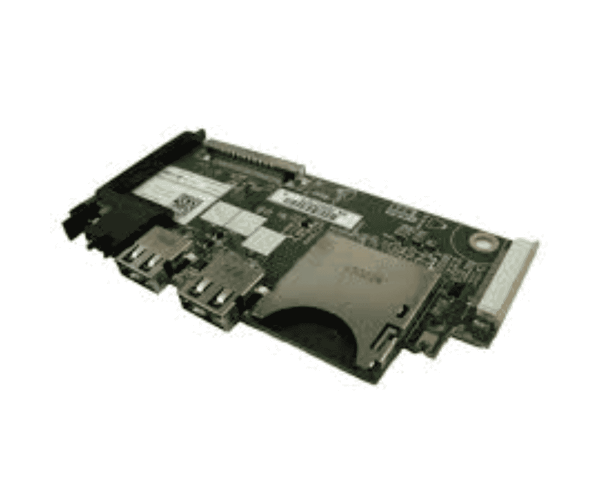
The
Dell XM1C9 Control Panel Board is a critical component for Dell server systems, providing seamless access to essential server functions and information. With its user-friendly design and reliable performance, this control panel board enhances the management experience, making it easier for users to monitor their server status effectively.
Dell XM1C9 Control Panel Board in BD
The
Dell XM1C9 Control Board is readily available in Bangladesh, providing local users with easy access to this essential component. Various retailers offer competitive pricing, ensuring that you can find the best deal for your server management needs.
Why Choose the Dell XM1C9 Control Panel Board?
Choosing the
Dell XM1C9 Panel Board is an excellent decision for several reasons:
- Enhanced Functionality: This control panel allows for effective monitoring and management of server operations.
- User-Centric Design: Its intuitive layout makes it easy for users to navigate and access important information.
- Reliable Performance: Specifically engineered for Dell servers, ensuring compatibility and dependability.
User Experience
Users find the
Dell Control Panel Board to be a valuable addition to their server setup. Many appreciate its straightforward functionality, reporting that it provides crucial information at a glance. The responsive controls and clear display make managing server operations more efficient, ultimately improving the overall user experience.
Detailed Breakdown of Features
- User-Friendly Interface: Designed for quick access to vital server information, simplifying monitoring tasks.
- High-Quality LCD Display: Ensures clear visibility of data, making it easy to read in different lighting conditions.
- Real-Time Status Updates: Provides immediate feedback on server performance and status, allowing for timely interventions.
- Compact Design: Space-efficient design fits seamlessly into various server configurations without taking up excess space.
- Integrated Controls: Features direct access to key functions, streamlining the management process.
- Low Power Consumption: Engineered for efficiency, minimizing energy use while maintaining optimal performance.
- Durable Construction: Built to withstand the demands of server environments, ensuring longevity and reliability.
- Versatile Compatibility: Works with a wide range of Dell server models, making it a versatile choice for users.
- Easy Maintenance: The design allows for straightforward upkeep and cleaning, ensuring long-term performance.
- Excellent Customer Support: Dell provides robust support for this product, ensuring users receive assistance when needed.
Installation Steps
- Power Down the Server: Ensure that your server is completely turned off and unplugged from any power source.
- Remove the Server Cover: Carefully take off the server's cover to access the internal components.
- Locate the Control Panel Slot: Identify the designated area for the control panel board within the server.
- Align the Control Panel Board: Position the control panel board to match the connectors in the designated slot.
- Insert the Control Panel Board: Gently push the board into the slot, ensuring a secure fit.
- Secure the Board: Ensure that the control panel board is firmly attached to prevent any loose connections.
- Replace the Server Cover: Reattach the server cover, securing it in place with screws as necessary.
- Reconnect the Power: Plug the server back into the power outlet and turn it on.
- Test the Installation: Verify that the control panel board operates correctly and displays the necessary information.
Where Dell XM1C9 Control Panel Can Be Used?
The
Dell XM1C9 Control Board is suitable for various environments, including:
- Data Centers: Ideal for efficient server management in large-scale operations.
- Small and Medium Enterprises: Provides critical information for day-to-day server operations.
- IT Departments: Essential for monitoring server performance and configurations.
- Remote Server Management: Facilitates easy access to server status from different locations.