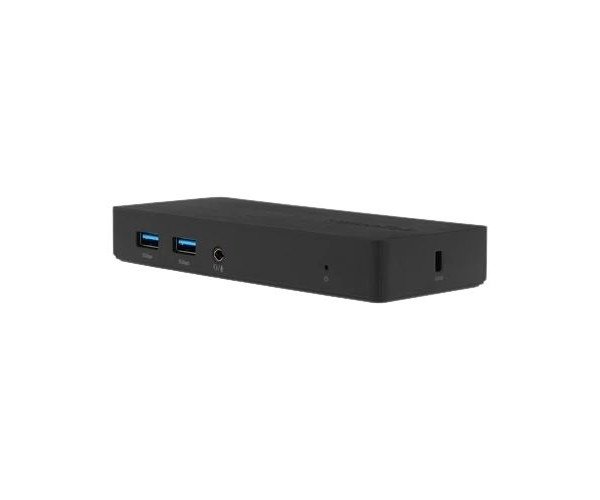
About the Dell VisionTek VT1100 Dual Display AC888863 Universal USB 3.0 Docking Station
The Dell VisionTek VT1100 Dual Display AC888863 Universal USB 3.0 Dock Station offers an easy way to expand your laptop’s connectivity with dual video support, multiple USB ports, and Ethernet — all with a single USB cable.
Dell VisionTek VT1100 Dual Display AC888863 Universal USB 3.0 Dock Station in BD
Dell VisionTek VT1100 Dual Display AC888863 Universal USB 3.0 Docking Station is a professional-grade docking solution for adding ports and dual display. It is quite compact and connects a laptop to full-sized monitors, networking, audio, and other peripherals for instantaneous workspace transformation.
User Experience
It is just like providing a full desktop upgrade via the Dell VisionTek VT1100 Dual Display AC888863 Universal USB 3.0 Dock Station at the convenience of your own home. This setup includes two HDMI ports for crisp, clear dual 1080p monitors that make multitasking even better. With an Ethernet connection, you can be on a video call and download large files all at once, with that very stable and speedy connection. No more need to install heavy driver software when you hook it up via plug-and-play USB 3.0 so you can get right to work. Extra USB ports? Yes, sir. Easy enough to connect the keyboard, mouse, or external drive without any issues.
Why Choose the Dell VisionTek VT1100 Dual Display AC888863 Universal USB 3.0 Dock Station?
Simplicity, versatility, and value on top of that-the Dell VisionTek VT1100 Dual Display AC888863 Universal USB 3.0 Dock Station is what you need. Need to extend screen space to up productivity? It has dual HDMI outputs that allow you to connect more monitors. It is also very much going to work under all Windows, macOS, and Chrome OS environments, making this very appliance-friendly. And best of all, it consolidates display, network, audio, and USB ports into one streamlined dock that de-clutters the office. This dock station is very easy to use when you're working from home or need to upgrade to a new office-ready space.
Installation Steps
- Unbox it with the power adapter that comes with the docking station.
- Plug the power adapter into an outlet and attach it to the dock.
- Connect the USB 3.0 cable from the dock to the laptop.
- Plug your HDMI displays into both HDMI ports.
- Add peripherals such as the keyboard, mouse, or USB drive.
- Connect to Ethernet via the RJ45 port if required.
- Your system will therefore detect and install the drivers automatically for you.
- You are now ready to use the Dell VisionTek VT1100 Dual Display AC888863 Universal USB 3.0 Docking Station!