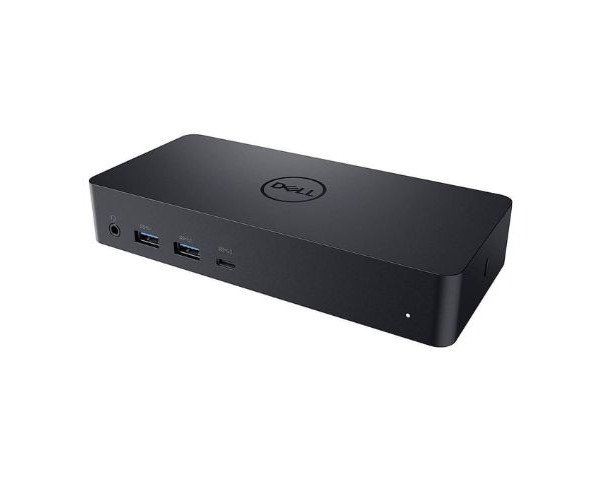
About the Dell Universal Dock - D6000 Docking Station
The Dell Universal Dock - D6000 Docking Station is a powerful and versatile device, designed to enhance connectivity by offering multiple ports for peripherals, displays, and networking. It is compatible with various laptops and devices, ensuring seamless performance for your work setup.
Dell Universal Dock - D6000 Docking Station in BD
The Dell's Universal Dock - D6000 Docking Station is a solution to connecting accessories and devices that streamline a desk with endless connectors. One can use a simple USB-C cable or plug in a USB 3.0 connector directly; it will have extensive multi-display support and all kinds of I/O connectivity possible. The ideal application will be for a professional workspace in which cables are reduced for a clean and efficient working environment.
User Experience
This Dell Universal Dock - D6000 Docking Station completely changes the way I set up a workspace. It's easy plug-and-play, so no crazy drivers to install. Multiple display support is fantastic because it sets me up to enjoy smooth multi-display functionality with crisp 4K resolution in an open office. No more frantically searching for the right ports with USB-C-only devices while continuing to use fast USB 3.0 hubs for data transfers. Presenting in a meeting or working from home, the D6000 manages to work productively with me. It really makes a huge difference in my daily workflow-it charges fast, seamlessly integrates across all my devices.
Choose the Dell Universal Dock - D6000 Dock Station.
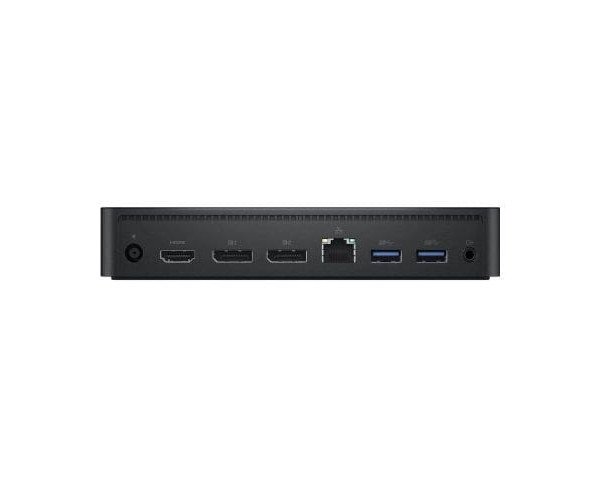
It is the record for any workspace as a simplifier while also maximally increasing productivity. It comes with impressive connectivity such as supporting a total of three 4K displays, it enables you to put up a workstation with extremely high performance in no time. Whether you're using numerous peripherals or just in need of enhanced graphics output, the Dell Universal Dock - D6000 gives the speed of being always and everywhere fast. And because setup is so simple, power delivery so reliable, and cross-platform compatibility such a plus, the Dell Universal Dock is perfect for both the serious professional and the casual user.
Installation Steps
- Unbox the Docking: Remove the Dock from packaging.
- Connect the Docking Station: Connect USB-C or USB 3.0 between dock and laptop or device.
- Set Up Monitors: Connect up to three monitors using the HDMI or DisplayPort connections.
- Connect to Peripherals: Plug your keyboard, mouse, printer, or other USB devices into the available USB ports on the dock.
- Ethernet: For wired network access, plug in the Ethernet cable into the dock's Ethernet port.
- Power up: Using the docking system, charge your laptop or device through the USB-C power delivery port.
- Finalize Setup: Check that every device is plugged in and powered on. Your Dell Universal Dock - D6000 will automatically notice any attached devices and you're ready to go!