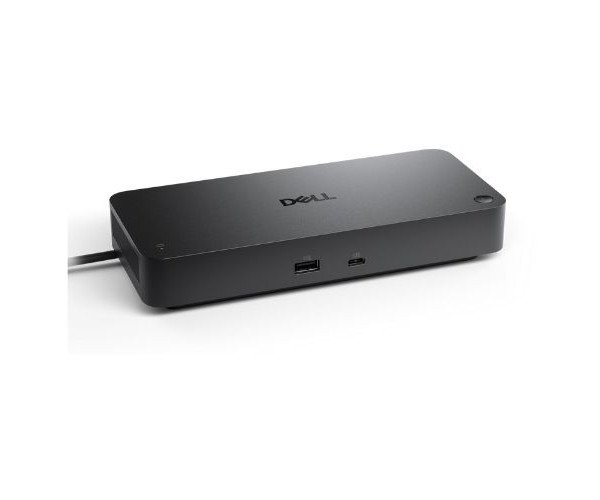
About the Dell Pro Thunderbolt 4 Smart Dock - SD25TB4 Dock Station
The Dell Pro Thunderbolt 4 Smart Dock - SD25TB4 Docking Station is a premium docking solution designed for professionals. With ultra-fast connectivity, smart management features, and support for multiple displays, it enhances productivity and keeps your workspace clean and efficient.
Dell Pro Thunderbolt 4 Smart Dock - SD25TB4 Docking Station in BD
The Dell Pro Thunderbolt 4 Smart Dock - SD25TB4 Dock is designed for today’s emerging professional. It has the Thunderbolt 4, which provides superfast data transfer, power delivery, and multi-display support, all housed in a stylish, compact package that suits any working environment.
User Experience
Using the Dell Pro Thunderbolt 4 Smart Dock - SD25TB4 Dock Station feels like unlocking your computer's full potential. You can power your laptop using the dock while connecting it to three 4K monitors with enough space for all the USB accessories. Setting it up is clean, fast, and reliable. It allows you to maintain seamless workflows no matter if you are engaged in the video call, transferring heavy files, or juggling between the monitors. The cherry on top is the one-cable connection that manages to fight off any desk clutter and allows for easy transitions between home and office. Truly a life-saver for hybrid and office workers.
Why Choose the Dell Pro Thunderbolt 4 Smart Dock - SD25TB4 Docking Station?
- Connections: With Thunderbolt 4 blazing speed and powerful performance.
- Display Ready: Up to three 4K monitors supported for ultimate productivity.
- Power Delivery: Charge laptops up to 130W.
- Smart Management: Secure and manage remotely with MAC address pass-through and PXE Boot.
- All-in-One Dock: Just one cable for power, data, and video—cable clutter, begone!
- It's simply the best solution for the speed, power, and ease of use that the scenario demands: The Dell Pro Thunderbolt 4 Smart Dock - SD25TB4 Dock Station.
Installation Steps
- Unboxing The Dock: Unpack the Dell Pro Thunderbolt Dock - SD25TB4 Docking Station and the cable.
- Connect to Power: Connect to the power source using the adapter provided.
- Connect Devices: Connect the dock with the monitors along with the keyboard and mouse and the Ethernet cable.
- Connect Laptop: With the Thunderbolt 4 cable provided, connect the dock to the laptop.
- Wait for Setup: The system automatically detects the dock and installs the required drivers.
- Enjoy Work: Once set up, work with fast connectivity and smooth multi-monitoring support.