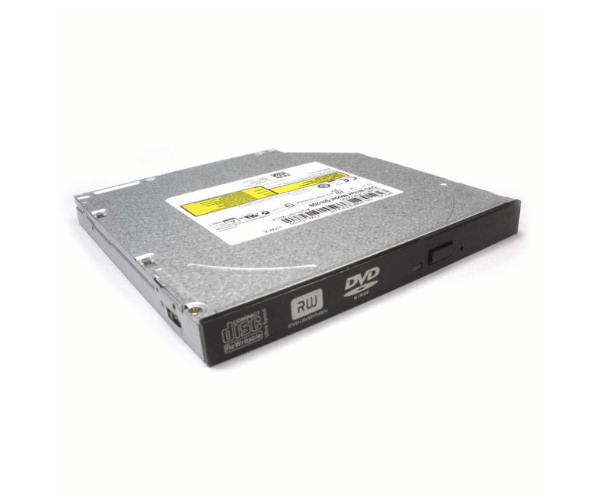
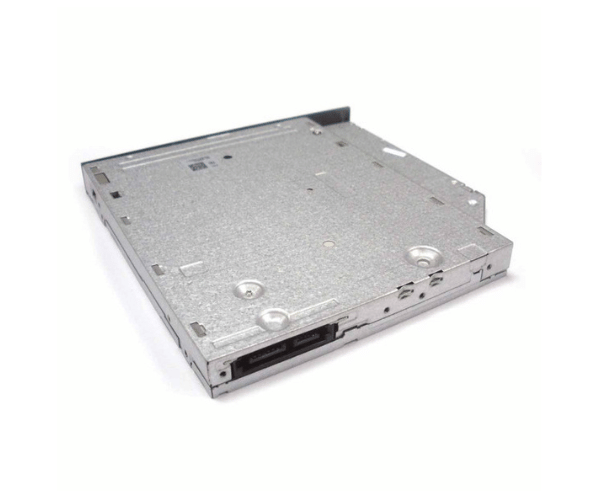
Introduction of Dell VCP9D Slimline SATA DVD-RW Drive for PowerEdge R220
The Dell VCP9D Slimline SATA DVD-RW Drive for PowerEdge R220 is a powerful and efficient optical drive designed to enhance your server's media capabilities. This drive allows users to read and write DVDs and CDs quickly and reliably. With its slim design and easy installation process, the Dell VCP9D is an ideal solution for those looking to expand their server's functionality while maintaining a compact form factor.
Why Choose the Dell VCP9D Slimline SATA DVD-RW Drive?
Opting for the Dell VCP9D Slimline Serial Advanced Technology Attachment DVD-RW Drive for PowerEdge R220 is a smart choice for anyone looking to improve their server's multimedia capabilities. This drive supports a wide range of media formats, making it versatile for various tasks, from data backups to software installations. Its quick read and write speeds ensure efficient data transfers, while its compatibility with the Dell PowerEdge R220 makes it a perfect fit for your server.
User Experience
Users enjoy a seamless experience with the Dell VCP9D Slimline Serial Advanced Technology Attachment DVD-RW Drive. Installing it is straightforward, enabling users to integrate it into their systems effortlessly. Users frequently commend the drive for its dependable performance and fast speeds. This makes it a top choice for anyone looking to access or create media on their server.
Detailed Breakdown of Features
The Dell VCP9D Slimline Serial Advanced Technology Attachment DVD-RW Drive for R220 is engineered for efficiency. It features a slim design that occupies minimal space in your server, allowing for optimal airflow and system organization. The Serial Advanced Technology Attachment interface enables fast data transfer rates. This speed is essential for handling large files. It also supports multiple media formats efficiently. This drive supports various DVD and CD formats, offering flexibility for different storage needs. With a read speed of up to 8X for DVDs and 24X for CDs, it significantly reduces the time required for media access. The lightweight construction enhances portability, making it easy to move between different systems if necessary.
Installation Steps
- Start by powering off your server and unplugging it from the power source.
- Open the server chassis to access the internal drive bays.
- Locate the correct bay designated for the optical drive.
- Gently insert the Dell Drive into the bay, ensuring a snug fit.
- Attach the SATA data cable from the drive directly to the motherboard.
- Attach the power cable to the drive for operation.
- Close the server chassis and reconnect the power supply.
Where It Can Be Used?
The
Dell VCP9D Slimline Serial Advanced Technology Attachment DVD-RW Drive is primarily designed for use in the Dell server. However, it can also be compatible with other Dell systems that support Serial Advanced Technology Attachment connections. This makes it suitable for various applications, including data backup, software installations, and media playback in business or home environments.