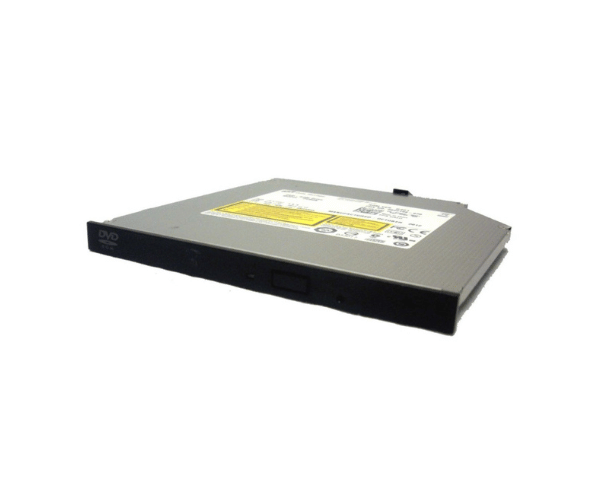
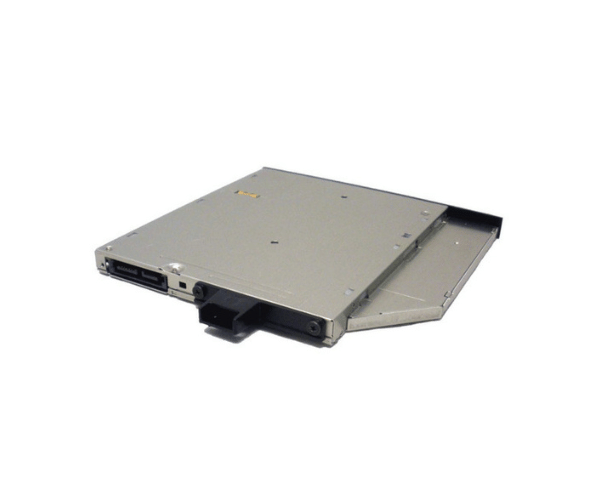
Introduction of Dell 2631F Optical Drive Ultra Slim SATA DVD-ROM
The Dell 2631F Optical Drive Ultra Slim SATA DVD-ROM is a high-performance optical drive designed for modern computing needs. This drive is perfect for those looking for a dependable and effective solution for reading CDs and DVDs. With its ultra-slim design, it is perfect for compact systems, ensuring that you can enjoy your media without taking up much space. Whether for personal use or in a business environment, the Dell 2631F is a versatile choice that guarantees seamless performance.
Why Choose the Dell 2631F Optical Drive Ultra Slim SATA DVD-ROM?
Choosing the Dell 2631F Optical Drive Ultra Slim SATA DVD-Read Only Memory means opting for reliability and efficiency. This optical drive is engineered to provide fast reading speeds while maintaining a slim profile, making it an excellent addition to any system. Its ability to work with a range of devices allows for use across different platforms seamlessly. If you want a space-saving yet powerful solution for your optical media needs, the Dell 2631F is the perfect choice.
User Experience
Users praise the Dell 2631F for its consistent performance and ease of use. The installation process is straightforward, and many have noted how quickly the drive reads various media formats. Customers appreciate the sleek design, which seamlessly fits into their systems without adding bulk. Overall, user feedback highlights the Dell 2631F as a dependable optical drive that meets expectations in both home and office environments.
Detailed Breakdown of Features
The Dell 2631F Optical Drive Ultra SATA DVD ROM is designed with a focus on efficiency and performance. It features a robust SATA interface, allowing for fast data transfer rates that enhance the overall experience. With a reading speed of 8X for DVDs and 24X for CDs, this drive quickly accesses data, making it ideal for tasks that require speed and reliability. Its ultra-slim design not only saves space but also makes it portable, which is perfect for users who are on the go. The compatibility of the Dell 2631F with various systems further adds to its versatility, making it a must-have for anyone in need of a dependable optical drive.
Installation Steps
- Power Down the Device: Turn off your computer and disconnect it from the power source to ensure safety during installation.
- Open the Computer Case: Carefully remove the side panel of your computer case to access the drive bays.
- Insert the Drive: Slide the Dell 2631F Optical Drive into an available slot in the drive bay.
- Secure the Drive: Use screws to secure the drive in place, ensuring it is stable and won’t move during operation.
- Connect the SATA Cable: Attach the SATA data cable from the drive to the motherboard.
- Attach Power Cable: Connect the power cable from the power supply to the drive.
- Secure the Panel: Put the side panel of your computer case back in place.
- Reconnect Power: Plug the power source back in and switch on your computer. The operating system should automatically detect the drive.
Where It Can Be Used?
The
Dell 2631F Optical Drive is versatile enough for a wide range of applications. It can be used in home PCs, office computers, and even in compact laptops that support external optical drives. Ideal for media playback, software installation, and data backup, this drive serves both personal and professional needs efficiently.