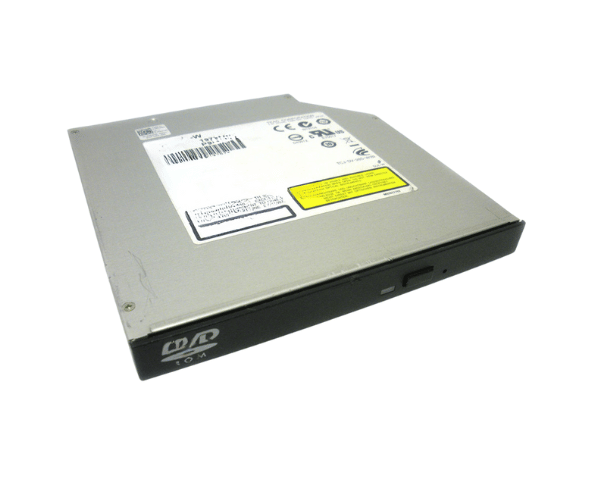
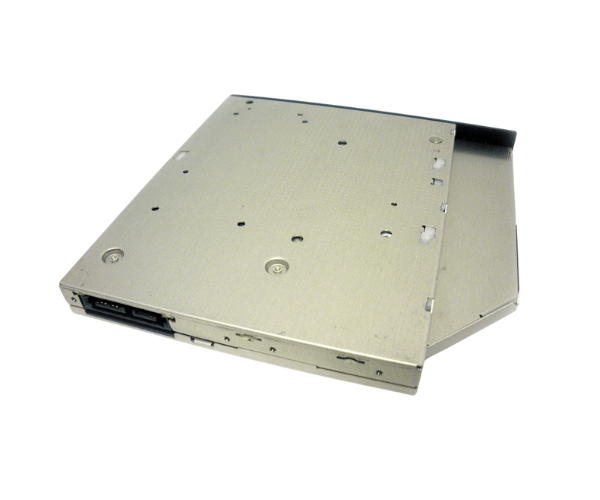
Introduction of Dell 7RDMR DVD-ROM Drive SATA Slimline
The Dell 7RDMR DVD-ROM Drive SATA Slimline is a highly efficient optical drive that enhances the functionality of your Dell systems. This drive supports DVD-ROM and CD-ROM formats, making it an essential component for users who need reliable access to media. Whether for software installations, data backups, or entertainment, the Dell 7RDMR ensures smooth performance in a compact design. Its slimline profile allows it to fit effortlessly into tight spaces, making it ideal for various Dell models.
Why Choose the Dell 7RDMR DVD-ROM Drive?
The Dell 7RDMR DVD-ROM Drive Slimline stands out due to its reliability and compatibility with Dell systems. Businesses and individual users benefit from its quick data access, making it perfect for software installations and media playback. Its slim design makes it a great choice for space-constrained environments. By choosing the Dell 7RDMR, users can ensure they are investing in a high-quality optical drive that meets their needs.
User Experience
Users have reported positive experiences with the Dell 7RDMR DVD-ROM Drive. Many appreciate its fast loading times and seamless integration with their systems. The installation process is straightforward, requiring minimal effort to set up. Users find it convenient for accessing software and media, enhancing their overall productivity. The drive’s consistent performance has made it a trusted choice for both home and business use.
Detailed Breakdown of Features
The Dell 7RDMR
DVD-ROM Drive SATA offers several features that make it a valuable addition to your computing setup. Its SATA interface ensures a fast and stable connection, which enhances data transfer speeds. This optical drive supports multiple formats, allowing users to read both DVDs and CDs, providing versatility in usage. The slimline design not only saves space but also contributes to the drive's sleek appearance, making it an aesthetically pleasing addition to any setup. Furthermore, the drive's robust construction guarantees longevity and reliability, which is crucial for users who depend on their devices for critical tasks.
Installation Steps
- Power Off the Computer: Ensure your computer is completely turned off.
- Disconnect from Power: Unplug the computer from the electrical outlet.
- Open the Computer Case: Remove the side panel to access internal components.
- Locate the Empty Drive Bay: Identify the empty drive bay where you will install the DVD-ROM Drive.
- Insert the DVD-ROM Drive: Slide the Dell DVD-ROM Drive into the empty bay, ensuring a snug fit.
- Secure the Drive: Use screws to secure the drive if necessary to prevent movement.
- Reassemble the Computer Case: Replace the side panel of the computer case.
- Reconnect the Power Supply and Power On: Plug the computer back in and turn it on to complete the installation process.
Where Can It Be Used?
The
Dell DVD-ROM Drive is ideal for various applications. It is particularly useful for software installations, allowing users to quickly and easily load applications onto their systems. Additionally, this drive excels in media playback, making it perfect for watching movies or accessing educational content. Data backups are another important use case, as the drive allows users to archive essential files on CDs or DVDs. Moreover, it is a reliable choice for reading and writing to CDs and DVDs, catering to both personal and professional needs.