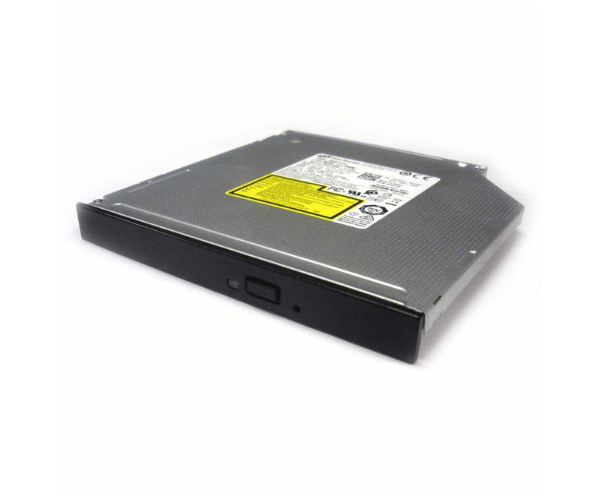
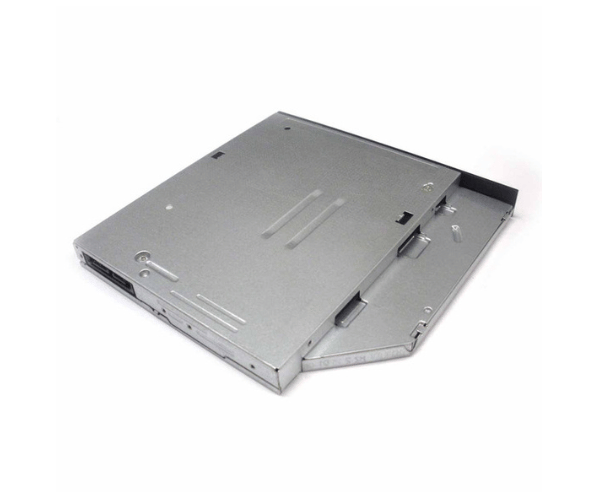
Introduction of Dell 34CPV Slimline Optical DVD ROM Drive
The Dell 34CPV Slimline Optical DVD ROM Drive is a compact and efficient solution for reading DVDs and CDs in Dell systems. This drive enhances your computer's multimedia capabilities, providing an easy way to access data, install software, or enjoy entertainment. Its slim design ensures it fits seamlessly into a variety of systems without taking up unnecessary space, making it a perfect choice for users with limited installation areas.
Why Choose the Dell 34CPV Slimline Optical DVD ROM Drive?
Choosing the Dell 34CPV Slimline Optical DVD Read-Only Memory Drive ensures you get a reliable and efficient optical drive for your Dell systems. This drive is engineered for seamless compatibility with a range of Dell desktops and laptops. Its slim design allows for easy installation, making it an excellent choice for anyone looking to upgrade their system’s media capabilities. With this drive, you can access a variety of media formats and enjoy fast read speeds, enhancing your overall computing experience.
User Experience
Users report a positive experience with the Dell 34CPV Slimline Optical DVD Read-Only Memory Drive. Its installation is straightforward, allowing users to integrate it into their systems without complications. The drive’s performance consistently meets expectations, providing quick access to data and media. Users value its compact design, allowing it to fit seamlessly into small spaces, making it an ideal addition to any setup.
Detailed Breakdown of Features
The Dell 34CPV Slimline Optical DVD Read-Only Memory Drive boasts several features that make it stand out in the market. First, its slim profile allows for flexible installation in various systems. The SATA interface provides fast data transfer speeds, which are crucial for efficiently reading large files and media. The drive supports multiple formats, ensuring versatility for different tasks. Additionally, it operates quietly, contributing to a better user experience during use. Overall, this drive enhances your system's functionality and usability.
Installation Steps
- Turn off your computer and disconnect it from the power supply.
- Remove the computer case to gain access to the internal drive bays.
- Locate the correct bay designated for the optical drive.
- Gently insert the Dell DVD ROM Drive into the bay, making sure it fits snugly.
- Attach the SATA data cable from the drive to the motherboard.
- Connect the power cable to the optical drive.
- Securely close the computer case and reconnect the power supply.
Where It Can Be Used?
The
Dell 34CPV Slimline Optical DVD Read-Only Memory Drive can be used in various settings. It is ideal for home users who want to access or create media. It is also beneficial for businesses that require reliable access to software installation discs or data backups. Additionally, this drive is perfect for gamers who enjoy playing older games that utilize DVD-ROM media. Its compatibility with various Dell systems makes it a versatile choice for different applications.