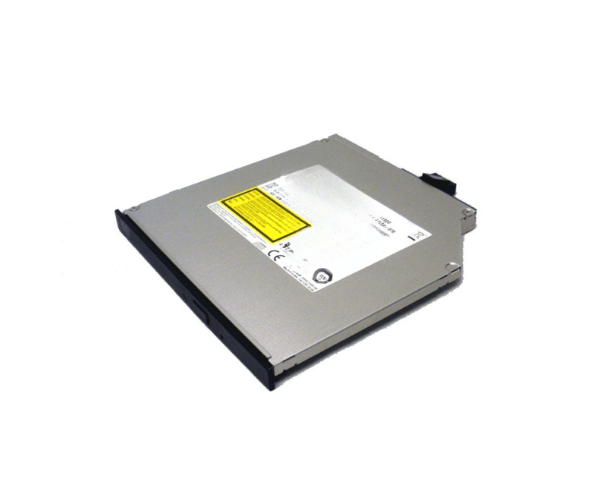
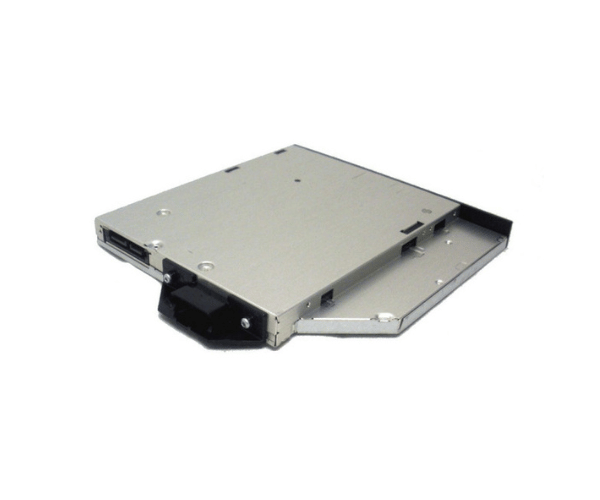
Introduction of Dell 3N3MN R730/T630 DVD-RW Slimline Drive
The Dell 3N3MN R730/T630 DVD-RW Slimline Drive is an essential component for any server environment. Designed specifically for the Dell PowerEdge R730 and T630 systems, this drive offers reliable optical media support. With its slimline design, it fits seamlessly into your server chassis while providing robust functionality. Whether you need to read or write DVDs and CDs, the Dell 3N3MN R730/T630 DVD-RW Slimline Drive ensures smooth performance for various applications.
Why Choose the Dell 3N3MN R730/T630 DVD-RW Slimline Drive?
Choosing the Dell 3N3MN R730 T630 DVD-RW Slimline Drive ensures that you have a dependable optical drive designed for your Dell PowerEdge servers. Its 8X writing speed allows for quick data transfer and backups, making it a perfect choice for both personal and professional use. The drive’s compatibility with Dell systems guarantees that you will experience hassle-free installation and operation. If you require an efficient and reliable optical drive, the Dell 3N3MN R730 T630 DVD-RW Slimline Drive is an excellent option.
User Experience
Users appreciate the Dell 3N3MN R730 T630 DVD-RW Slimline Drive for its reliable performance and ease of use. The installation process is straightforward, requiring no additional drivers or complicated setups. Many users have reported that the drive operates quietly and efficiently, allowing for seamless media access without interruptions. With its slimline design, it fits perfectly in the server chassis without taking up unnecessary space. Overall, the user experience with this drive is overwhelmingly positive, making it a favorite among Dell server users.
Detailed Breakdown of Features
The Dell 3N3MN R730 T630 DVD-RW Slimline Drive comes equipped with various features that enhance its functionality. Firstly, the drive supports both reading and writing capabilities for DVDs and CDs, providing versatility for different media types. Its SATA interface ensures high-speed data transfer, making it ideal for environments where time is of the essence. The slimline design is not only space-saving but also helps in maintaining proper airflow within the server. Furthermore, the drive is specifically designed to be compatible with Dell PowerEdge R730 and T630 servers, ensuring seamless integration and operation. This makes the Dell 3N3MN R730 T630 DVD-RW Slimline Drive a reliable choice for any organization.
Installation Steps
- Power Down the Server: Turn off the server and disconnect it from the power source.
- Open the Server Chassis: Remove the screws or latches to access the internal components.
- Insert the DVD-RW Drive: Slide the Dell DVD-RW Slimline Drive into an available slimline bay.
- Secure the Drive: Use screws or latches to fasten the drive in place.
- Connect the SATA Cable: Attach the SATA data cable from the drive to the motherboard.
- Plug in the Power Cable: Connect the power cable from the power supply to the drive.
- Close the Server Chassis: Reassemble the server and secure it properly.
- Power On the Server: Reconnect the power source and turn on the server. The drive will be recognized automatically.
Where It Can Be Used?
The
Dell 3N3MN R730 T630 DVD-RW Slimline Drive is ideal for various applications. It can be used in data centers, corporate offices, and educational institutions where optical media is still a requirement. Whether you need to install software, create backups, or read data from optical discs, this drive excels in all scenarios. It’s particularly useful in environments that require reliable data storage and retrieval.