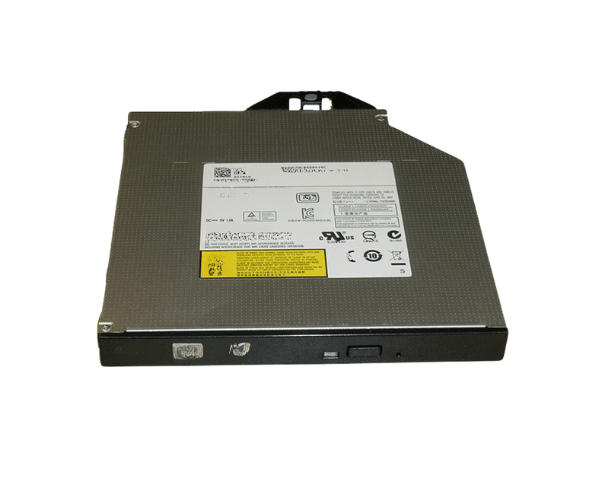
Introduction of Dell 27NC0 DVD-RW Slimline Optical Drive SATA DS-8A5SH
The Dell 27NC0 DVD-RW Slimline Optical Drive SATA DS-8A5SH is a versatile and high-performance optical drive that enhances your computing experience. Designed to offer reliable media access, this drive supports both DVD and CD formats, making it an excellent choice for data storage, software installations, and multimedia playback. Its slimline design ensures that it fits seamlessly into various Dell systems without occupying much space, allowing users to maximize their system's performance.
Why Choose This Product - Dell 27NC0 DVD-RW Slimline Optical Drive?
Choosing the Dell 27NC0 DVD-RW Slimline Optical Drive DS-8A5SH ensures you receive a product built for performance and reliability. This drive not only delivers impressive read and write speeds but also provides a compact design, making it perfect for laptops and small form factor desktops. Whether you need to install software, back up data, or enjoy your favorite movies, the Dell 27NC0 offers a hassle-free experience.
User Experience
Users appreciate the Dell 27NC0 DVD-RW Simline Optical Drive for its ease of use and efficiency. With straightforward installation procedures, even novice users can set it up without any technical assistance. Once installed, the drive performs seamlessly, offering fast data transfer rates and reliable media playback. Many users report satisfaction with its durability and compatibility across various applications.
Detailed Breakdown of Features
The Dell 27NC0 DVD-RW Slimline Optical Drive is packed with essential features that enhance its usability. Its SATA interface ensures a fast and stable connection to your computer, minimizing latency during data transfer. The drive supports a wide range of media formats, allowing users to read and write CDs and DVDs with ease. With a maximum write speed of 24x for CD-R and 8x for DVD-RW, it allows for quick data burning. Additionally, its slimline design makes it an ideal choice for compact systems, fitting effortlessly into limited spaces while maintaining optimal performance.
Installation Steps
- Power down your computer and disconnect it from the electrical outlet to ensure safety.
- Take off the side panel of your computer case, allowing you to reach the internal parts easily.
- Locate the empty drive bay and gently insert the Dell DVD-RW Slimline Optical Drive into the bay.
- If necessary, secure the drive in place with screws.
- Connect the SATA data cable to the optical drive and the motherboard.
- Reconnect any necessary power cables to the drive.
- Close the computer case securely.
- Reconnect the power cable to your computer and switch on the power button to start the system.
Where Can It Be Used?
The
Dell 27NC0 DVD-RW Slimline
Optical Drive can be used in various settings, including home offices, educational institutions, and professional work environments. It is ideal for users who frequently work with media, including video editing, data storage, and software installation. Additionally, it serves well in entertainment systems, allowing users to enjoy movies and music without hassle.