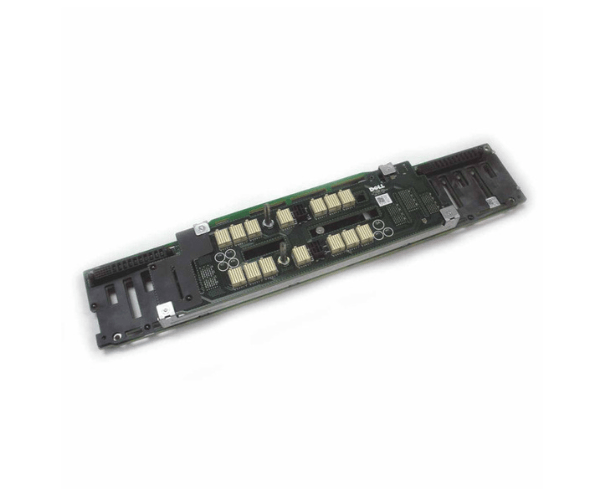
Introduction of Dell V7073 Midplane Backplane for MD3200
The Dell V7073 Midplane Backplane is a vital component for the Dell MD3200 storage array. It enhances connectivity and boosts performance, ensuring that your storage system runs smoothly and efficiently. With its robust build and advanced features, the Dell V7073 Midplane Backplane is essential for maintaining the reliability and functionality of your Dell MD3200.
Why Choose Dell V7073 Midplane Backplane?
Choosing the Dell V7073 Midplane ensures that your Dell MD3200 storage system achieves optimal performance and reliability. This backplane is specifically designed to integrate seamlessly with the MD3200, providing essential connectivity for your drives. Its robust build and efficient cooling system contribute to the overall longevity and efficiency of your storage array. With the Dell V7073, you gain a reliable solution for managing and expanding your data storage needs.
User Experience
Users report a positive experience with the Dell V7073 Backplane due to its seamless integration and dependable performance. The installation process is straightforward, and the backplane's build quality ensures long-term durability. Many users appreciate the effective heat dissipation, which helps maintain optimal operating conditions for their storage arrays. Overall, the Dell V7073 enhances the reliability of the MD3200, making it a preferred choice for many data centers and IT environments.
Key Features
- High Compatibility: Specifically designed for Dell MD3200 storage systems.
- Durable Construction: Made from high-quality metal and plastic for long-lasting performance.
- Effective Cooling: Efficient heat dissipation to maintain optimal temperature.
- Seamless Integration: Easy installation and integration with existing storage controllers.
- Flexible Drive Configurations: Supports various drive setups based on needs.
- Robust Build Quality: Ensures stability and reliability in demanding environments.
- Enhanced Performance: Provides essential connectivity for smooth operation.
- Optimized Design: Designed to meet the performance requirements of the MD3200.
- Reliable Support: Backed by Dell's quality standards and support.
- Efficient Operation: Improves the efficiency and longevity of the storage array.
Installation Steps
- Power Down: Ensure the Dell MD3200 is powered off and disconnected from any power sources.
- Remove Old Midplane: Carefully remove the existing midplane if applicable.
- Position New Backplane: Align the Dell V7073 Midplane Backplane with the mounting slots in the MD3200.
- Secure in Place: Fasten the backplane using the provided screws or mounting hardware.
- Connect Cables: Attach all necessary cables and connectors to the backplane.
- Reassemble System: Replace any covers or panels removed during installation.
- Power On: Reconnect the power source and power on the MD3200. Check for proper recognition and functionality.
Where It Can Be Used?
The
Dell V7073 Midplane
Backplane is ideal for use in Dell MD3200 storage arrays. It is specifically designed for data centers, enterprise environments, and high-performance computing setups where reliable and efficient storage solutions are needed. The backplane is suitable for various applications, including data storage expansion, high-demand data management, and critical infrastructure support.