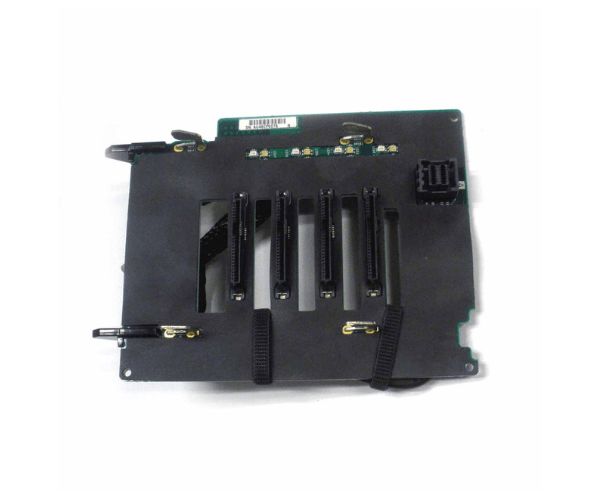
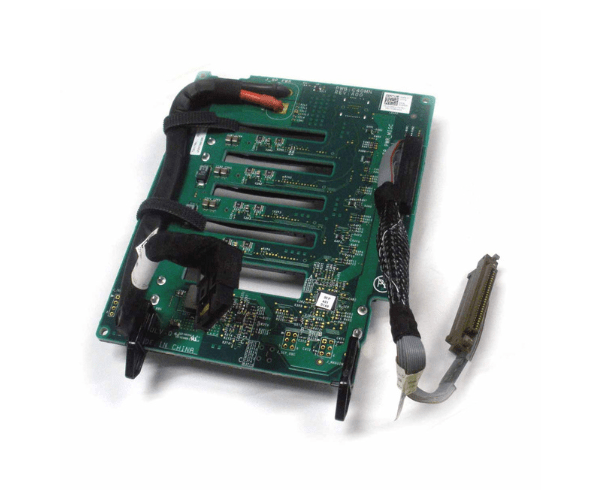
Introduction of Dell V2PDX Backplane 4 Bay 2.5in HDD for PowerEdge R920
The Dell V2PDX Backplane 4 Bay 2.5in HDD for PowerEdge R920 delivers high-performance storage tailored for demanding IT environments. This backplane efficiently manages and integrates up to four 2.5-inch hard drives within your Dell PowerEdge R920 server. It provides a reliable and scalable storage option, enhancing your system’s capacity and performance.
Why Choose the Dell V2PDX Backplane 4 Bay 2.5in HDD for PowerEdge R920?
The Dell V2PDX Backplane 4 Bay 2.5in for PowerEdge R920 stands out due to its efficient design and, consequently, its robust performance. By integrating this backplane into your PowerEdge R920 server, you gain the ability to expand your storage capacity effectively. It ensures high-speed data access and reliability, making it a valuable addition for enterprise environments. The backplane’s hot-swappable feature allows for easy maintenance and upgrades, minimizing downtime and keeping your operations running smoothly.
User Experience
Users have reported that the Dell V2PDX Backplane significantly improves storage management and performance in their servers. The straightforward installation process, combined with the backplane’s reliability, enhances the overall user experience. Its compatibility with the PowerEdge R920 ensures a seamless integration, leading to enhanced system efficiency and stability.
Key Features
- High Capacity: Supports up to four 2.5-inch hard drives.
- Hot-Swappable: Allows for drive replacement without powering down the server.
- Efficient Cooling: Integrated cooling to maintain optimal performance.
- Seamless Integration: Designed specifically for PowerEdge R920 servers.
- Reliable Performance: Ensures high-speed data access and stability.
Installation Steps
- Power Down: Ensure your server is turned off and unplugged.
- Open the Server: Remove the server cover to access the internal components.
- Locate the Slot: Identify the designated slot for the backplane within the server chassis.
- Insert the Backplane: Gently insert the Dell V2PDX Backplane into the slot until it firmly seats.
- Secure the Backplane: Use the provided screws or mounting mechanisms to secure the backplane.
- Reconnect Cables: Reattach any cables you disconnected during installation.
- Close the Server: Replace the server cover and ensure all screws are tightened.
- Power On: Turn on your server and check if the system recognizes the backplane.
Where It Can Be Used?
The
Dell V2PDX Backplane 4 Bay 2.5in HDD is ideal for data centers, large-scale databases, and enterprise IT environments where high-speed and reliable data storage is crucial. Its design makes it perfect for applications requiring extensive storage capacity and efficient data management.